




- Replies 9
- Views 996
- Created
- Last Reply
Top Posters In This Topic
-
Thecloude1 3 posts
-
Daniel2015 3 posts
-
James Marusek 1 post
-
The Candidate 1 post




Popular Days
Most Popular Posts
-
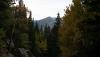
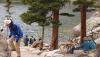
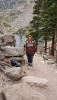
Congrats to you! I love the Colorado mountains!! Did you happen to take any pictures? Sent from my iPhone using the BariatricPal App
-
Congratulations.
-
Daniel ...I did take pictures! I'll have to post some when I have a minute! Thanks!
Posted Images

Featured Replies
Join the conversation
You can post as a guest; create a free account to track replies, follow topics, and be part of the largest weight loss surgery community.
I achieved a goal yesterday that I never thought possible only a few months ago.....I did a four mile hike..half of which was a continuous climb and a lot of steps....In Rocky Mountain National Park , with my Husband and Son......We saw 3 lakes on this hike...Nymph Lake, Dream Lake and Emerald Lake. We also saw an elk laying just a few feet off the trail [emoji7][emoji106].....Having RNY has changed my life in so many ways...So worth the struggles along the way!!