




Quest on the GO
- Replies 3
- Views 726
- Created
- Last Reply



Popular Days
Most Popular Posts
-
I usually do about 10 seconds in the microwave..... They're all better warmed up.... added note: for the microwave....be sure to remove them from the package first to avoid fireworks....
-
Mmmmmmm, great idea!
-
What a great idea! I eat on the run a lot...may have to try that!
Posted Images
Featured Replies
Join the conversation
You can post as a guest; create a free account to track replies, follow topics, and be part of the largest weight loss surgery community.
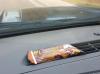
Someone said if you heat the Quest bar up a little it will be so much better. Well I was running late today and figured the defroster would heat it for me. I opened the wrapper a little bit and sat it up there. Within a few minutes, my car smelled like cinnamon rolls and I was eating a warm chewy Quest bar.