Skip to content
View in the app

A better way to browse. Learn more.

BariatricPal

A full-screen app on your home screen with push notifications, badges and more.

To install this app on iOS and iPadOS
  1. Tap the Share icon in Safari
  2. Scroll the menu and tap Add to Home Screen.
  3. Tap Add in the top-right corner.
To install this app on Android
  1. Tap the 3-dot menu (⋮) in the top-right corner of the browser.
  2. Tap Add to Home screen or Install app.
  3. Confirm by tapping Install.

Flying to SD!

  • Popular Post

The day before the day is finally here. I'm sitting at DFW waiting to board my flight. My mom is flying from Seattle and will meet me at the SD airport. I lost 11 lbs the first week of my liquid diet, but only one pound on the last week. I'm so excited, but soooo anxious. Prayers appreciated!

  • Replies 6
  • Views 687
  • Created
  • Last Reply

Featured Replies

  • Author

Checked into the hotel no problem. Ate some delicious broth and met with the CER Hospital coordinator. Only problems are the headaches and nausea. Excited for tomorrow!!!

Can't wait to hear about your experience I am also booking with Dr. Garcia for September

  • Author

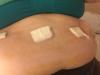
I will post more later, but so happy surgery is over!!! post-255861-1434911544074_thumb.jpg

Archived

This topic is now archived and is closed to further replies.

Trending Products

PatchAid Vitamin Patches

Account

Navigation

Search

Search

Configure browser push notifications

Chrome (Android)
  1. Tap the lock icon next to the address bar.
  2. Tap Permissions → Notifications.
  3. Adjust your preference.
Chrome (Desktop)
  1. Click the padlock icon in the address bar.
  2. Select Site settings.
  3. Find Notifications and adjust your preference.