Skip to content
View in the app

A better way to browse. Learn more.

BariatricPal

A full-screen app on your home screen with push notifications, badges and more.

To install this app on iOS and iPadOS
  1. Tap the Share icon in Safari
  2. Scroll the menu and tap Add to Home Screen.
  3. Tap Add in the top-right corner.
To install this app on Android
  1. Tap the 3-dot menu (⋮) in the top-right corner of the browser.
  2. Tap Add to Home screen or Install app.
  3. Confirm by tapping Install.

Surgiversary

  • Popular Post

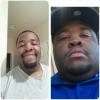
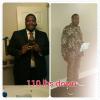
I am late on my post. I made on year March 26th 2015. I started at 360 lbs and I am currently 250. I have stalled a lil bit but with work and school and family it was expected. I want to drop another 40 lbs to reach my goal of 210 lbs. It's been a long and well needed journey.

post-239213-14295448889685_thumb.jpg

post-239213-14295449134565_thumb.jpg

  • Replies 9
  • Views 1k
  • Created
  • Last Reply

Featured Replies

Wow! Congrats to you! You are looking good and it sounds like you are focused on continuing your journey, which is amazing.

  • 2 weeks later...

I am late on my post. I made on year March 26th 2015. I started at 360 lbs and I am currently 250. I have stalled a lil bit but with work and school and family it was expected. I want to drop another 40 lbs to reach my goal of 210 lbs. It's been a long and well needed journey.

Congratulations! My surgerversary is the same day!! I went from 217 surgery day to 177 on my surgerversary!! I feel absolutely great and YOU look absolutely great!! Keep it up!

Edited by waitingtoexhale

Wow congrats you

  • 1 month later...

As of today.... I am 60lbs down!

Congrats! I had my surgery in Sept. 2014 as well and I'm down 61 pounds, so looks like we are keeping pace with one another!

Congrats! You are a handsome young man!!

  • 3 weeks later...

Archived

This topic is now archived and is closed to further replies.

Trending Products

PatchAid Vitamin Patches

Account

Navigation

Search

Search

Configure browser push notifications

Chrome (Android)
  1. Tap the lock icon next to the address bar.
  2. Tap Permissions → Notifications.
  3. Adjust your preference.
Chrome (Desktop)
  1. Click the padlock icon in the address bar.
  2. Select Site settings.
  3. Find Notifications and adjust your preference.