Skip to content
View in the app

A better way to browse. Learn more.

BariatricPal

A full-screen app on your home screen with push notifications, badges and more.

To install this app on iOS and iPadOS
  1. Tap the Share icon in Safari
  2. Scroll the menu and tap Add to Home Screen.
  3. Tap Add in the top-right corner.
To install this app on Android
  1. Tap the 3-dot menu (⋮) in the top-right corner of the browser.
  2. Tap Add to Home screen or Install app.
  3. Confirm by tapping Install.
  • Appearance

Join BariatricPal free

  • Ask your own questions
  • Reply and follow topics
  • Message other members
  • No cost, no spam

Another New Skin

Thats right! We have finished the new skin for LapBandTalk.com. After taking your suggestions on the other skin many of you were unhappy with it so we decided to remake another. Hopefully this one is much better and you all enjoy it more! If you have any questions or concerns with the skin please PM me or post them in this thread.

If you do not currently see the new skin, please click the link below:

http://lapbandtalk.com/index.php?styleid=5

Alex

  • Replies 67
  • Views 5.5k
  • Created
  • Last Reply

Top Posters In This Topic

Posted Images

Featured Replies

Are you using the skin that says 1024 next to it ?

I dunno. This is what my own PC says when I go into display. I am both old and blonde.:help:

I dunno. This is what my own PC says when I go into display. I am both old and blonde.:help:

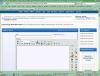
I think I know exactly what you're looking at, Green! Despite the prevalent theory, choosing Left or Right ads makes no difference to the problem you've been describing. I've tried all the skins, but in 1024x768 the smilies menu is chopped off & the last 3 editing tools are missing.

I took a screen shot of what my window looks like when it is:

A) fully expanded

:) using a 1024x768 screen resolution

C) using the "Right Sidebar w/ Girl 1024" skin option

I don't know if I can actually attach the picture to this post or what it will look like if I can, but I'm going to try. Maybe this will help with the confusion. ;)

Alex, you've been a real trooper troubleshooting the skin issues -- especially when you're not experiencing any! Thanks for all the hard work!

post-207718-13813134967024_thumb.jpg

Does your screen have a [More] link at the bottom of the list of emoticons? Mine does, so all I have to do is click on it and a new screen will pop up with the entire list of them.

:welcomeB: Uh, yes, it does.... So that's where you guys get your fancy bananas from! Well, I'll be a:deadhorse: (I was looking for a horse's behind but couldn't find one.:) )

Join the conversation

You can post as a guest; create a free account to track replies, follow topics, and be part of the largest weight loss surgery community.

Join the conversation

You can post now and register later. If you have an account, sign in now to post with your account.

Guest
Reply to this topic...

Account

Navigation

Search

Search

Configure browser push notifications

Chrome (Android)
  1. Tap the lock icon next to the address bar.
  2. Tap Permissions → Notifications.
  3. Adjust your preference.
Chrome (Desktop)
  1. Click the padlock icon in the address bar.
  2. Select Site settings.
  3. Find Notifications and adjust your preference.