Skip to content
View in the app

A better way to browse. Learn more.

BariatricPal

A full-screen app on your home screen with push notifications, badges and more.

To install this app on iOS and iPadOS
  1. Tap the Share icon in Safari
  2. Scroll the menu and tap Add to Home Screen.
  3. Tap Add in the top-right corner.
To install this app on Android
  1. Tap the 3-dot menu (⋮) in the top-right corner of the browser.
  2. Tap Add to Home screen or Install app.
  3. Confirm by tapping Install.

BirthdayNSV

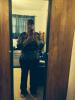
When I started this process in September I weighed 241 lbs and wore 2x tops and 20/22 bottoms. I have not gone shopping or tried on clothes since that first day. Yesterday was my birthday and my daughter bought me an outfit. An xlg top and size 16 jeans, well of course I was convinced they were too small and refused to try them on at first. Well just to keep from hurting get feelings I did try them on. Guess what! Yup they fit. I haven't been in a size 16 since my 30s and I sm now 51. I am over the moon.

post-184947-0-76165300-1394286621_thumb.jpg

  • Replies 2
  • Views 473
  • Created
  • Last Reply

Featured Replies

Congrats! looking great!!

Yayyyyyyyyyyyyyyyyyyyyyyyy way to go!

Archived

This topic is now archived and is closed to further replies.

Trending Products

PatchAid Vitamin Patches

Account

Navigation

Search

Search

Configure browser push notifications

Chrome (Android)
  1. Tap the lock icon next to the address bar.
  2. Tap Permissions → Notifications.
  3. Adjust your preference.
Chrome (Desktop)
  1. Click the padlock icon in the address bar.
  2. Select Site settings.
  3. Find Notifications and adjust your preference.