



- Replies 2
- Views 847
- Created
- Last Reply


Popular Days
Posted Images
Featured Replies
Join the conversation
You can post as a guest; create a free account to track replies, follow topics, and be part of the largest weight loss surgery community.

A better way to browse. Learn more.
A full-screen app on your home screen with push notifications, badges and more.
Join BariatricPal free
You can post as a guest; create a free account to track replies, follow topics, and be part of the largest weight loss surgery community.
Find support for your bariatric or GLP-1 journey. Save helpful conversations and take part when you are ready.
Choose your email preferences on the registration form.
Already a member? Sign in
Dr. C....
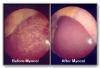
Do you have any photos of a liver with a lot of fat on it?
A lot of people have questions about why the LSD is necessary, I don't think they fully understand the reasons for it before surgery.
If you had a photo of a normal liver and a liver with a lot of fat it might show WHY it is so helpful to do the diet. It would show how it gets in your way during surgery and how it is so much easier if the diet is done properly.
If you do have these photos it would be so handy to refer to these when people try to understand these issues. Do you have any photos of these two types of livers and if not, might you be willing to catch a few photos the next time you have a case that applies?
Thx