Skip to content
View in the app

A better way to browse. Learn more.

BariatricPal

A full-screen app on your home screen with push notifications, badges and more.

To install this app on iOS and iPadOS
  1. Tap the Share icon in Safari
  2. Scroll the menu and tap Add to Home Screen.
  3. Tap Add in the top-right corner.
To install this app on Android
  1. Tap the 3-dot menu (⋮) in the top-right corner of the browser.
  2. Tap Add to Home screen or Install app.
  3. Confirm by tapping Install.

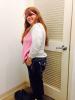
4 months post op pics

Had my surgery on 9/25/13, (so really 4 months/1 week post op) and I am down 61lbs! I have never regretted my decision to have VSG! Don't get me wrong, I have struggles like everybody else, head hunger, stalls, food issues but no one said this was going to be easy. I just take it one day at a time, one pound at a time and do the best that I can. Love my sleeve!!

Stats:

Height: 5'1

Pre-op/starting weight: 238

Surgery weight: 222

Current weight: 177

post-180415-0-02060100-1391101651_thumb.jpg

post-180415-0-56199800-1391101678_thumb.jpg

post-180415-0-74728300-1391101718_thumb.jpg

  • Replies 19
  • Views 3.6k
  • Created
  • Last Reply

Featured Replies

  • Author

You look fabulous!!! Can you give us a little insight as to what you're doing? Calories, carbs, & exercise?

Sure. I eat 700-850 calories a day, keep my carbs count at 40-50 grams, protein 60 grams and try to keep my sugar down to 40 grams a day. I am working on my daily water intake which is currently 48 oz a day and try to get up to 60oz. I exercise 3-4 days a week, I try to get At least 1 high protein shake in a day.

Really try to get in those protein shakes! I am starting to have significant hair loss and my doctor told me I got to make sure to get that protein in.

I am losing slower than others but I am fine with it. Slow and steady wins the race!

Good luck to you and enjoy the journey!

You look amazing!!

Great job! You look great!

Archived

This topic is now archived and is closed to further replies.

Trending Products

PatchAid Vitamin Patches

Account

Navigation

Search

Search

Configure browser push notifications

Chrome (Android)
  1. Tap the lock icon next to the address bar.
  2. Tap Permissions → Notifications.
  3. Adjust your preference.
Chrome (Desktop)
  1. Click the padlock icon in the address bar.
  2. Select Site settings.
  3. Find Notifications and adjust your preference.