Skip to content
View in the app

A better way to browse. Learn more.

BariatricPal

A full-screen app on your home screen with push notifications, badges and more.

To install this app on iOS and iPadOS
  1. Tap the Share icon in Safari
  2. Scroll the menu and tap Add to Home Screen.
  3. Tap Add in the top-right corner.
To install this app on Android
  1. Tap the 3-dot menu (⋮) in the top-right corner of the browser.
  2. Tap Add to Home screen or Install app.
  3. Confirm by tapping Install.
  • Appearance

Join BariatricPal free

  • Ask your own questions
  • Reply and follow topics
  • Message other members
  • No cost, no spam

Size 10!

  • Popular Post

OK um...Bariatric...Pals? WTH happened? Anywhooo

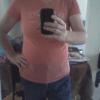
I am now a size 10, well, I found a pair of 10s that fit. :)

Left me last summer (2012) at 290 lbs, right me this morning, 154.4 lbspost-168842-0-86858900-1384380527_thumb.png

  • Replies 16
  • Views 2.4k
  • Created
  • Last Reply

Top Posters In This Topic

Most Popular Posts

  • liibereazmom here i am, here i am 144 lbs!!!! OMG love your pics you look great!!!! what a difference!!!! keep up the good work my friend good luck kathy congratulations

  • Well, at 11 months post-op, where I can eat anything and everything, my "secret" is logging my food on MyFitnessPal. I weigh and measure most everything I put in my mouth and log it. While I don't a

  • You can do this! Early on it feels like a insurmountable mountain. But the sleeve makes it easy IF YOU WORK IT LIKE IT IS SUPPOSED TO BE WORKED. Before you know it, you will be well on your way. I

Posted Images

Featured Replies

HOLY CRAP!!! I mean, wow, you look amazing! !!

Join the conversation

You can post as a guest; create a free account to track replies, follow topics, and be part of the largest weight loss surgery community.

Join the conversation

You can post now and register later. If you have an account, sign in now to post with your account.

Guest
Reply to this topic...

Account

Navigation

Search

Search

Configure browser push notifications

Chrome (Android)
  1. Tap the lock icon next to the address bar.
  2. Tap Permissions → Notifications.
  3. Adjust your preference.
Chrome (Desktop)
  1. Click the padlock icon in the address bar.
  2. Select Site settings.
  3. Find Notifications and adjust your preference.