Skip to content
View in the app

A better way to browse. Learn more.

BariatricPal

A full-screen app on your home screen with push notifications, badges and more.

To install this app on iOS and iPadOS
  1. Tap the Share icon in Safari
  2. Scroll the menu and tap Add to Home Screen.
  3. Tap Add in the top-right corner.
To install this app on Android
  1. Tap the 3-dot menu (⋮) in the top-right corner of the browser.
  2. Tap Add to Home screen or Install app.
  3. Confirm by tapping Install.

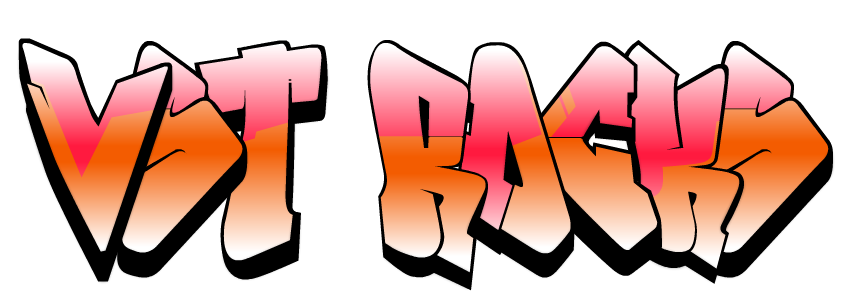
VST ROCKS!

post-20464-13813669646243_thumb.png
  • Replies 5
  • Views 1.1k
  • Created
  • Last Reply

Featured Replies

Yes it does!! Great job on your new life!!!!

post-6636-1381365892707_thumb.jpg

I think you rock too...your posts are always so positive & some of them make me fall off my chair laughing!

  • Author

I think you rock too...your posts are always so positive & some of them make me fall off my chair laughing!

Thanks!

I made the graffiti for an odd habit I have of posting on threads that I am sure will be deleted. Kind of like painting on a wall set for demolition. Unfortunately, the mods here are on their toes and the duplicate thread was gone before I got back. So I posted here on a regular wall. Hope I don't have to get a brush and soap and clean it off. :D

  • 2 weeks later...

Archived

This topic is now archived and is closed to further replies.

Trending Products

PatchAid Vitamin Patches

Account

Navigation

Search

Search

Configure browser push notifications

Chrome (Android)
  1. Tap the lock icon next to the address bar.
  2. Tap Permissions → Notifications.
  3. Adjust your preference.
Chrome (Desktop)
  1. Click the padlock icon in the address bar.
  2. Select Site settings.
  3. Find Notifications and adjust your preference.