Skip to content
View in the app

A better way to browse. Learn more.

BariatricPal

A full-screen app on your home screen with push notifications, badges and more.

To install this app on iOS and iPadOS
  1. Tap the Share icon in Safari
  2. Scroll the menu and tap Add to Home Screen.
  3. Tap Add in the top-right corner.
To install this app on Android
  1. Tap the 3-dot menu (⋮) in the top-right corner of the browser.
  2. Tap Add to Home screen or Install app.
  3. Confirm by tapping Install.

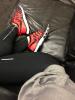
Running shoes!

Just got these they are super comfy taking them for a run this morning Nike FreeRun 5.0

post-20098-13813668994502_thumb.jpg

  • Replies 4
  • Views 811
  • Created
  • Last Reply

Featured Replies

There is a running shoe place by me that has a treadmill with cameras. You run on it in bare feet and they can see your running still. Like mine I run on the outsides of my feet. They then were able to find me a pair of shoes that would go along with my running style.

I bought a random pair from dicks and my knees would hurt after running. With the shoes I bought at this store after pairing me with a shoe that supports my running style no pain whatsoever. I am no able to run longer and farther now just because of the shoes.

  • Author
There is a running shoe place by me that has a treadmill with cameras. You run on it in bare feet and they can see your running still. Like mine I run on the outsides of my feet. They then were able to find me a pair of shoes that would go along with my running style.

I bought a random pair from dicks and my knees would hurt after running. With the shoes I bought at this store after pairing me with a shoe that supports my running style no pain whatsoever. I am no able to run longer and farther now just because of the shoes.

Yeah I've had my gait analyzed before. I pronate on my left foot only, weird I know so insoles work for me.. these shoes are super light it's like running on bare feet which I like..

Love the color!

  • Author
Love the color!

Thanks Fiddleman

Archived

This topic is now archived and is closed to further replies.

Trending Products

PatchAid Vitamin Patches

Account

Navigation

Search

Search

Configure browser push notifications

Chrome (Android)
  1. Tap the lock icon next to the address bar.
  2. Tap Permissions → Notifications.
  3. Adjust your preference.
Chrome (Desktop)
  1. Click the padlock icon in the address bar.
  2. Select Site settings.
  3. Find Notifications and adjust your preference.