Skip to content
View in the app

A better way to browse. Learn more.

BariatricPal

A full-screen app on your home screen with push notifications, badges and more.

To install this app on iOS and iPadOS
  1. Tap the Share icon in Safari
  2. Scroll the menu and tap Add to Home Screen.
  3. Tap Add in the top-right corner.
To install this app on Android
  1. Tap the 3-dot menu (⋮) in the top-right corner of the browser.
  2. Tap Add to Home screen or Install app.
  3. Confirm by tapping Install.

5 month update

It never ceases to amaze me how much my life is changing!! I haven't had a day off in I don't know when!! There is always something to do!! My social life has improved exponentially!! I love my sleeve!!

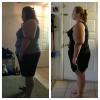
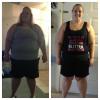
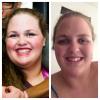
Surgery March 4, 2013 at 368.8 pounds

Current weight 274.4

Lost 94.2 pounds!!

I really want to hit that 100 pound mark by my 6 months!!

I swim 2-3 days a week, play soccer on Mondays, and have begun training for a triathlon!! :)

post-50003-13813668673278_thumb.jpg

post-50003-13813668674177_thumb.jpg

post-50003-13813668675076_thumb.jpg

  • Replies 8
  • Views 1k
  • Created
  • Last Reply

Featured Replies

Looking good! Congrats on your loss!!!

And I love your tank top. :-)

  • Author
Looking good! Congrats on your loss!!!

And I love your tank top. :-)

Skreened.com :)

YOU LOOK AWESOME ..KEEP UP THE GREAT WORK!!!!!!!!!!!!! :D

Lookin' good. Keep it up! Congrats on the weight loss.

  • Author

Thanks!! It feels good! I still have a long way to go, but i am determined and hopeful!! :)

You look great!!!! I hope I can say I've lost as much as you when I'm at 6 months!

  • Author
You look great!!!! I hope I can say I've lost as much as you when I'm at 6 months!

It hasn't been easy, but it's been worth it!!

Archived

This topic is now archived and is closed to further replies.

Trending Products

PatchAid Vitamin Patches

Account

Navigation

Search

Search

Configure browser push notifications

Chrome (Android)
  1. Tap the lock icon next to the address bar.
  2. Tap Permissions → Notifications.
  3. Adjust your preference.
Chrome (Desktop)
  1. Click the padlock icon in the address bar.
  2. Select Site settings.
  3. Find Notifications and adjust your preference.