Skip to content
View in the app

A better way to browse. Learn more.

BariatricPal

A full-screen app on your home screen with push notifications, badges and more.

To install this app on iOS and iPadOS
  1. Tap the Share icon in Safari
  2. Scroll the menu and tap Add to Home Screen.
  3. Tap Add in the top-right corner.
To install this app on Android
  1. Tap the 3-dot menu (⋮) in the top-right corner of the browser.
  2. Tap Add to Home screen or Install app.
  3. Confirm by tapping Install.

2006 Christmas pics

Every year we invite several friends over for a "Christmas Tree Trimming Party". The only admission cost is to bring one ornament. Then we start decorating our tree. Loads of fun. Singing carols while we decorate and it is just a blast.

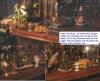
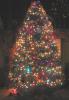
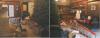
Here is our tree this year and what it looked prior to the finished product. I am including some pics of our food items too. They are so NOT band friendly but hey I don't have a band anymore so there. LOL!!

Here is the PRE-DECORATING pics.

post-204009-13813134447265_thumb.jpg

  • Replies 6
  • Views 940
  • Created
  • Last Reply

Top Posters In This Topic

Posted Images

Featured Replies

  • Author

This is our 12 foot tree completely decorated. OHH AHHH!!!

post-204009-13813134447546_thumb.jpg

Hey Penni, it's beautiful. How many lights do you have on that sucker? Looks like about a thousand. I'll bet you all had a load of fun. That's quite a good idea, a decorating party.

  • Author
I guess you need hot rum toddies and stuff like that to get a good result.

I quit counting strings of lights after 9. And yes HOT RUM TODDIES does help with the decorating eye.

Join the conversation

You can post now and register later. If you have an account, sign in now to post with your account.

Guest
Reply to this topic...

Trending Products

PatchAid Vitamin Patches

Account

Navigation

Search

Search

Configure browser push notifications

Chrome (Android)
  1. Tap the lock icon next to the address bar.
  2. Tap Permissions → Notifications.
  3. Adjust your preference.
Chrome (Desktop)
  1. Click the padlock icon in the address bar.
  2. Select Site settings.
  3. Find Notifications and adjust your preference.