Skip to content
View in the app

A better way to browse. Learn more.

BariatricPal

A full-screen app on your home screen with push notifications, badges and more.

To install this app on iOS and iPadOS
  1. Tap the Share icon in Safari
  2. Scroll the menu and tap Add to Home Screen.
  3. Tap Add in the top-right corner.
To install this app on Android
  1. Tap the 3-dot menu (⋮) in the top-right corner of the browser.
  2. Tap Add to Home screen or Install app.
  3. Confirm by tapping Install.

I need help IM going crazy

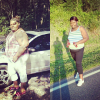
Hi everybody I have sleeve on 09/27/2012 in I was 379 but starting this I was 392 in now IM 267 I lost 124 pounds in if you ask me IM happy of me but this month I been going back in my old ways I don't want that at all I when Frm 263 to 267 I know that not lot but it's

[ATTACH]12911[/ATTACH]

something to me I hate that so much IM doing all can to just lose them pounds in they not going no were I don't know what do I just don't want see 300 no more I need help....this is me be for my sleeve in now I just got make my self feel better were I kan Frm in were IM now.

post-37977-13813665756976_thumb.png

  • Replies 6
  • Views 1.1k
  • Created
  • Last Reply

Featured Replies

You look great in your pic. Maybe carry around a pic of your old self to help remind you why you had surgery in the first place. You can do it :)

  • Author
You look great in your pic. Maybe carry around a pic of your old self to help remind you why you had surgery in the first place. You can do it :)

Thanks in yea I do that now it's help a lil

Do thinks you like to occupy your mind..tell yourself how much better you are and what a good job you are doing.get back on track and don't beat yourself up about it..

Allah hu Akbar

  • Author
Do thinks you like to occupy your mind..tell yourself how much better you are and what a good job you are doing.get back on track and don't beat yourself up about it..

Allah hu Akbar

Thanks

You look too good to turn back now take it one day at a time

  • Author
You look too good to turn back now take it one day at a time

Thank you in that what IM doing

Archived

This topic is now archived and is closed to further replies.

Trending Products

PatchAid Vitamin Patches

Account

Navigation

Search

Search

Configure browser push notifications

Chrome (Android)
  1. Tap the lock icon next to the address bar.
  2. Tap Permissions → Notifications.
  3. Adjust your preference.
Chrome (Desktop)
  1. Click the padlock icon in the address bar.
  2. Select Site settings.
  3. Find Notifications and adjust your preference.