Skip to content
View in the app

A better way to browse. Learn more.

BariatricPal

A full-screen app on your home screen with push notifications, badges and more.

To install this app on iOS and iPadOS
  1. Tap the Share icon in Safari
  2. Scroll the menu and tap Add to Home Screen.
  3. Tap Add in the top-right corner.
To install this app on Android
  1. Tap the 3-dot menu (⋮) in the top-right corner of the browser.
  2. Tap Add to Home screen or Install app.
  3. Confirm by tapping Install.
  • Cart

Rollercoaster NSV!

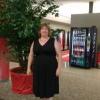
I was lucky enough to receive free tickets from my company for Busch Gardens Tampa Bay this last weekend. I was afraid to try a rollercoaster at first, the last time I went to a theme park I barely fit in them. Between that time and my surgery I had gained quite a but of weight. I am happy to say that the two coasters I tried, I fit in! yippee!

  • Replies 5
  • Views 592
  • Created
  • Last Reply

Featured Replies

Congrats! Keep it up!

Yay for you! I love NSVs! It must have felt so great to fit in them!

  • Author

It felt fantastic! But it was somewhat bittersweet, my daughter was not able to ride due to her size :(. I hope it was motivation for her to get serious about losing weight!

Happy for you... I'm sure you felt great after you saw you fit!! GREAT NSV

Awesome ... great to hear.

Archived

This topic is now archived and is closed to further replies.

Trending Products

PatchAid Vitamin Patches

Account

Navigation

Search

Search

Configure browser push notifications

Chrome (Android)
  1. Tap the lock icon next to the address bar.
  2. Tap Permissions → Notifications.
  3. Adjust your preference.
Chrome (Desktop)
  1. Click the padlock icon in the address bar.
  2. Select Site settings.
  3. Find Notifications and adjust your preference.