Skip to content
View in the app

A better way to browse. Learn more.

BariatricPal

A full-screen app on your home screen with push notifications, badges and more.

To install this app on iOS and iPadOS
  1. Tap the Share icon in Safari
  2. Scroll the menu and tap Add to Home Screen.
  3. Tap Add in the top-right corner.
To install this app on Android
  1. Tap the 3-dot menu (⋮) in the top-right corner of the browser.
  2. Tap Add to Home screen or Install app.
  3. Confirm by tapping Install.

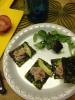
Tonights dinner

  • Replies 4
  • Views 621
  • Created
  • Last Reply

Featured Replies

Oooh, sushi without rice and with cooked fish, then! Actually sounds like a viable option, since I know sushi is one of the things I will crave...

That was just as appealing to the eye as I'm sure it was to your mouth & tummy! YUM!

oooooo, gourmet!! Looks really good!

  • Author

It was satisfying and doesn't feel like I'm missing out. Tonight I made it w canned tuna but I have also had it w imitation crab sticks and when I'm fancy I used real king crab legs. I love seafood. The seaweed packs are at Costco.

Archived

This topic is now archived and is closed to further replies.

Trending Products

PatchAid Vitamin Patches

Account

Navigation

Search

Search

Configure browser push notifications

Chrome (Android)
  1. Tap the lock icon next to the address bar.
  2. Tap Permissions → Notifications.
  3. Adjust your preference.
Chrome (Desktop)
  1. Click the padlock icon in the address bar.
  2. Select Site settings.
  3. Find Notifications and adjust your preference.