Skip to content
View in the app

A better way to browse. Learn more.

BariatricPal

A full-screen app on your home screen with push notifications, badges and more.

To install this app on iOS and iPadOS
  1. Tap the Share icon in Safari
  2. Scroll the menu and tap Add to Home Screen.
  3. Tap Add in the top-right corner.
To install this app on Android
  1. Tap the 3-dot menu (⋮) in the top-right corner of the browser.
  2. Tap Add to Home screen or Install app.
  3. Confirm by tapping Install.

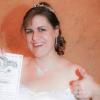
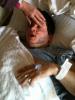
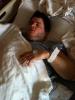
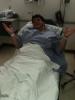
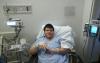
just some funny pics

Just some of the many pics and videos my lovely family and partner took of me! lol i was out of it and one point i said i felt like britney spears and that i wanted bbq sausage hahaha. The pain sucked at first, but as soon as I got settled in I began to feel good.

post-34949-13813662952904_thumb.jpg

post-34949-13813662953638_thumb.jpg

post-34949-13813662953873_thumb.jpg

post-34949-13813662954102_thumb.jpg

  • Replies 1
  • Views 1.1k
  • Created
  • Last Reply

Featured Replies

I don't even remember recovery at all! I apparently super responded to my anesthsia and really didn't come out of until I was in my actual hospital room. Wooo.... nice. :ph34r:

Archived

This topic is now archived and is closed to further replies.

Trending Products

PatchAid Vitamin Patches

Account

Navigation

Search

Search

Configure browser push notifications

Chrome (Android)
  1. Tap the lock icon next to the address bar.
  2. Tap Permissions → Notifications.
  3. Adjust your preference.
Chrome (Desktop)
  1. Click the padlock icon in the address bar.
  2. Select Site settings.
  3. Find Notifications and adjust your preference.