Skip to content
View in the app

A better way to browse. Learn more.

BariatricPal

A full-screen app on your home screen with push notifications, badges and more.

To install this app on iOS and iPadOS
  1. Tap the Share icon in Safari
  2. Scroll the menu and tap Add to Home Screen.
  3. Tap Add in the top-right corner.
To install this app on Android
  1. Tap the 3-dot menu (⋮) in the top-right corner of the browser.
  2. Tap Add to Home screen or Install app.
  3. Confirm by tapping Install.

My Favorite Nsv

I have been on here since around February and was sleeved in may. I have probably had many nsv's but my greatest was today. I was getting dressed and couldn't find my jeans in the dryer..I was getting frustrated when I realized I had placed them in my teenagers pile of clothes :)

  • Replies 4
  • Views 598
  • Created
  • Last Reply

Featured Replies

Woo-hoo! You go girl!!!!!! Such an inspiration!

Cool!!!!! ;)

Funny! And you'll see more of the same as time goes on too.

I remember pulling a pair of underwear out of the drier wondering how the heck a pair of kids underwear ended up in our laundry (we have no kids) then it dawned on me - they were MINE :)

  • Author

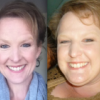
Thanks guys! This site has been such a great friend for me! I'll post a pic later, but my sleeve date was may 18 & I am down 70 lbs :) good luck to you all!

Archived

This topic is now archived and is closed to further replies.

Trending Products

PatchAid Vitamin Patches

Account

Navigation

Search

Search

Configure browser push notifications

Chrome (Android)
  1. Tap the lock icon next to the address bar.
  2. Tap Permissions → Notifications.
  3. Adjust your preference.
Chrome (Desktop)
  1. Click the padlock icon in the address bar.
  2. Select Site settings.
  3. Find Notifications and adjust your preference.