Skip to content
View in the app

A better way to browse. Learn more.

BariatricPal

A full-screen app on your home screen with push notifications, badges and more.

To install this app on iOS and iPadOS
  1. Tap the Share icon in Safari
  2. Scroll the menu and tap Add to Home Screen.
  3. Tap Add in the top-right corner.
To install this app on Android
  1. Tap the 3-dot menu (⋮) in the top-right corner of the browser.
  2. Tap Add to Home screen or Install app.
  3. Confirm by tapping Install.

Sharing My Dinner :)

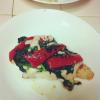
This was so simple and yummy, thought I would share!

http://www.afterthesleeve.com/2012/10/my-dinner-yum-grilled-chicken-dish.html#

post-34681-13813660504703_thumb.jpg

  • Replies 4
  • Views 536
  • Created
  • Last Reply

Featured Replies

This was so simple and yummy, thought I would share!

http://www.afterthesleeve.com/2012/10/my-dinner-yum-grilled-chicken-dish.html#

You have some great recipes on your page. Where did you get them from. I have looked at a few cook books but nothing like the ones you have. I going to make several of them.

I'm going to try the pumpkin pie recipe...sounds yummy. Love the pics your looking great:)

  • Author

You have some great recipes on your page. Where did you get them from. I have looked at a few cook books but nothing like the ones you have. I going to make several of them.

Thanks! Some I make up, others I find online and will either follow them or tweak them to be more healthy, or more to my taste. Pinterest has been my friend lately, that's where I've gotten a lot of ideas the last month :)

Thanks! Some I make up, others I find online and will either follow them or tweak them to be more healthy, or more to my taste. Pinterest has been my friend lately, that's where I've gotten a lot of ideas the last month :)

Thanks I will look there. But I am going to use some of yours.. Smile

Archived

This topic is now archived and is closed to further replies.

Trending Products

PatchAid Vitamin Patches

Account

Navigation

Search

Search

Configure browser push notifications

Chrome (Android)
  1. Tap the lock icon next to the address bar.
  2. Tap Permissions → Notifications.
  3. Adjust your preference.
Chrome (Desktop)
  1. Click the padlock icon in the address bar.
  2. Select Site settings.
  3. Find Notifications and adjust your preference.