Skip to content
View in the app

A better way to browse. Learn more.

BariatricPal

A full-screen app on your home screen with push notifications, badges and more.

To install this app on iOS and iPadOS
  1. Tap the Share icon in Safari
  2. Scroll the menu and tap Add to Home Screen.
  3. Tap Add in the top-right corner.
To install this app on Android
  1. Tap the 3-dot menu (⋮) in the top-right corner of the browser.
  2. Tap Add to Home screen or Install app.
  3. Confirm by tapping Install.
  • Appearance

Join BariatricPal free

  • Ask your own questions
  • Reply and follow topics
  • Message other members
  • No cost, no spam

Have Anybody Tried These?

  • Replies 5
  • Views 801
  • Created
  • Last Reply

Top Posters In This Topic

Posted Images

Featured Replies

Does look good.

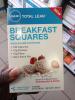
Let us know how they taste. Below is the nutrition info from the GNC website

160 calories per bar

35 calories from fat

28 carbs per bar

10 grams of Protein per bar

4 grams of fat per bar

Serving Size 1 bar

Servings Per Container 5

Amount Per Serving % DV

Calories from Fat 35.00

Saturated Fat 2.00 g 10%

Trans Fat 0.00 g

Polyunsaturated Fat 1.00 g 0%

Monounsaturated Fat 1.00 g 0%

Cholesterol 15.00 mg 5%

Sodium 150.00 mg 6%

Total Carbohydrate 28.00 g 9%

Dietary Fiber 10.00 g 40%

Calories 160.00

Total Fat 4.00 g 6%

Sugars 6.00 g

Protein 12.00 g 0%

Vitamin A 0.00 1%

Vitamin C 0.00 0%

Calcium 0.00 3%

Iron 0.00 6%

** Daily Value (DV) not established

† Percent Daily Values are based on a 2000 calorie diet.

Your daily values may be higher or lower depending on

your calorie needs:

Calories: 2000 2500

Total Fat Less than 65 g 80 g

Sat. Fat Less than 20 g 25 g

Cholesterol Less than 300 mg 300 mg

Sodium Less than 2400 mg 2400 mg

Total Carbohydrate 300 g 375 g

Dietary Fiber 25 g 30 g

Calories per gram:

Fat 9• Carbohydrate 4•Protein 4

I just tried these and they taste ok but they are very thick. So thick they are hard to eat. They are so dense, I could not eat the whole thing. I will not buy them again.

Join the conversation

You can post as a guest; create a free account to track replies, follow topics, and be part of the largest weight loss surgery community.

Join the conversation

You can post now and register later. If you have an account, sign in now to post with your account.

Guest
Reply to this topic...

Account

Navigation

Search

Search

Configure browser push notifications

Chrome (Android)
  1. Tap the lock icon next to the address bar.
  2. Tap Permissions → Notifications.
  3. Adjust your preference.
Chrome (Desktop)
  1. Click the padlock icon in the address bar.
  2. Select Site settings.
  3. Find Notifications and adjust your preference.