Skip to content
View in the app

A better way to browse. Learn more.

BariatricPal

A full-screen app on your home screen with push notifications, badges and more.

To install this app on iOS and iPadOS
  1. Tap the Share icon in Safari
  2. Scroll the menu and tap Add to Home Screen.
  3. Tap Add in the top-right corner.
To install this app on Android
  1. Tap the 3-dot menu (⋮) in the top-right corner of the browser.
  2. Tap Add to Home screen or Install app.
  3. Confirm by tapping Install.

Keep This In Mind :)

post-67255-13813670521912_thumb.jpg

[ATTACH]4830[/ATTACH]

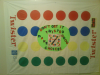
I teach Sunday School and our decoration theme is "games" and the theme of our whole unit is "choices" encouraging the kids to make good choices because the choices we make have long lasting effects. I also think this can and does apply for us! plus,I just think it's cute. Lol

post-39090-13813659922739_thumb.png

  • Replies 4
  • Views 882
  • Created
  • Last Reply

Featured Replies

I teach Sunday School and our decoration theme is "games" and the theme of our whole unit is "choices" encouraging the kids to make good choices because the choices we make have long lasting effects. I also think this can and does apply for us! plus,I just think it's cute. Lol

hey Tex

kids say the darnest thing, right ;)

make good choices, smart kids

  • Author

They sure do!

Hey, I also work with kids at my church. I love the games theme! Have u ever looked ay shindigz.com or stumps.com? They have AWESOME decorations for a game theme!

  • Author

I'm gonna have to check those websites out !

Archived

This topic is now archived and is closed to further replies.

Trending Products

PatchAid Vitamin Patches

Account

Navigation

Search

Search

Configure browser push notifications

Chrome (Android)
  1. Tap the lock icon next to the address bar.
  2. Tap Permissions → Notifications.
  3. Adjust your preference.
Chrome (Desktop)
  1. Click the padlock icon in the address bar.
  2. Select Site settings.
  3. Find Notifications and adjust your preference.