Skip to content
View in the app

A better way to browse. Learn more.

BariatricPal

A full-screen app on your home screen with push notifications, badges and more.

To install this app on iOS and iPadOS
  1. Tap the Share icon in Safari
  2. Scroll the menu and tap Add to Home Screen.
  3. Tap Add in the top-right corner.
To install this app on Android
  1. Tap the 3-dot menu (⋮) in the top-right corner of the browser.
  2. Tap Add to Home screen or Install app.
  3. Confirm by tapping Install.

Inspiration...

  • Replies 2
  • Views 648
  • Created
  • Last Reply

Top Posters In This Topic

Posted Images

Featured Replies

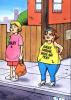
Very cute!

That reminds me of some commercials that ran a little while ago. I think they were for a healthy cereal or some kind of bar. But a lady would walk into a bakery and walk out & have two big cinnamon buns stuck on her butt. Or she would be at the sidewalk and go to wave for a cab and have a big donut stuck to the underneath of her arm. I think there was another one where a guy had an eclair wrapped around his waist like a floatation device.

Join the conversation

You can post now and register later. If you have an account, sign in now to post with your account.

Guest
Reply to this topic...

Trending Products

PatchAid Vitamin Patches

Account

Navigation

Search

Search

Configure browser push notifications

Chrome (Android)
  1. Tap the lock icon next to the address bar.
  2. Tap Permissions → Notifications.
  3. Adjust your preference.
Chrome (Desktop)
  1. Click the padlock icon in the address bar.
  2. Select Site settings.
  3. Find Notifications and adjust your preference.