Skip to content
View in the app

A better way to browse. Learn more.

BariatricPal

A full-screen app on your home screen with push notifications, badges and more.

To install this app on iOS and iPadOS
  1. Tap the Share icon in Safari
  2. Scroll the menu and tap Add to Home Screen.
  3. Tap Add in the top-right corner.
To install this app on Android
  1. Tap the 3-dot menu (⋮) in the top-right corner of the browser.
  2. Tap Add to Home screen or Install app.
  3. Confirm by tapping Install.

Goal!!

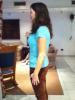
It took me 11 months and 1/2 a week to get there, but I finally made it! :)

It's been a long road, lots of hills and valleys, but I'm finally there -- here's the video I made that gives an overview:

  • Replies 22
  • Views 3k
  • Created
  • Last Reply

Top Posters In This Topic

Posted Images

Featured Replies

Julie, I am SO SO SO happy for you!! You are beautiful and that happy dance says it all. Congrats on hitting goal!!!!

:Dancing_biggrin:

YAYYYYYYYYYYYY Juliarh! YOU DID IT AND YOU LOOK AMAAAAAAZING!!!!!!!!!!!! I also saw your tummy tuck youtube! Incredible and your legs don't look bad at all!!!!! You can totally wear a bikini now yayyyyyy! CONGRATS AND HUGS!!!!!!

:bananahuge: :bananahuge: :bananahuge: :bananahuge:

Sorry... one giant dancing banana just isn't enough!! CONGRATS!!!!!!!!!!

I am so happy for you! Its a long tough journey to get there but you did it. I know you will do your best in maintanence too! Congratulations, Julie.

SO COOL!!! And I love your YouTubes, I've watched them all now! You look just FAB. Really. :)

Congratulations! You look fantastic, and I bet it feels wonderful. Way to go!!!!

Join the conversation

You can post now and register later. If you have an account, sign in now to post with your account.

Guest
Reply to this topic...

Trending Products

PatchAid Vitamin Patches

Account

Navigation

Search

Search

Configure browser push notifications

Chrome (Android)
  1. Tap the lock icon next to the address bar.
  2. Tap Permissions → Notifications.
  3. Adjust your preference.
Chrome (Desktop)
  1. Click the padlock icon in the address bar.
  2. Select Site settings.
  3. Find Notifications and adjust your preference.