Skip to content
View in the app

A better way to browse. Learn more.

BariatricPal

A full-screen app on your home screen with push notifications, badges and more.

To install this app on iOS and iPadOS
  1. Tap the Share icon in Safari
  2. Scroll the menu and tap Add to Home Screen.
  3. Tap Add in the top-right corner.
To install this app on Android
  1. Tap the 3-dot menu (⋮) in the top-right corner of the browser.
  2. Tap Add to Home screen or Install app.
  3. Confirm by tapping Install.

Tools to Success

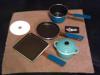
One of the tools I used for my continued weight lost and eating healthy are the small cooking utensils (see pic). They are used every day when I cook, especially when I eating alone or when I prepared something different from the family.

This is a great way to control how much food is prepared and they are very easy to clean. The covered casserole dish is oven and microwave safe. The pans are non-stick which is great for folks on restricted diets. The best part, all four items were about 10 dollars. With proper care, such as hand washing and use of non-metallic tools when cooking they can last a long time.

Continued thanks,

Lash

post-6673-13813657097125_thumb.jpg

  • Replies 1
  • Views 719
  • Created
  • Last Reply

Top Posters In This Topic

Posted Images

Featured Replies

Those are SO cute! They look like DOLL cookware! I wish I could use something like this, however, I have a husband and two children, so we tend to cook for our whole family and then just weigh/measure our portions. I love this idea though and if I were single I would totally be out buying these. Great idea!

Join the conversation

You can post now and register later. If you have an account, sign in now to post with your account.

Guest
Reply to this topic...

Trending Products

PatchAid Vitamin Patches

Account

Navigation

Search

Search

Configure browser push notifications

Chrome (Android)
  1. Tap the lock icon next to the address bar.
  2. Tap Permissions → Notifications.
  3. Adjust your preference.
Chrome (Desktop)
  1. Click the padlock icon in the address bar.
  2. Select Site settings.
  3. Find Notifications and adjust your preference.