Skip to content
View in the app

A better way to browse. Learn more.

BariatricPal

A full-screen app on your home screen with push notifications, badges and more.

To install this app on iOS and iPadOS
  1. Tap the Share icon in Safari
  2. Scroll the menu and tap Add to Home Screen.
  3. Tap Add in the top-right corner.
To install this app on Android
  1. Tap the 3-dot menu (⋮) in the top-right corner of the browser.
  2. Tap Add to Home screen or Install app.
  3. Confirm by tapping Install.

5k race

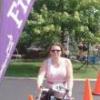
It is really awesome I finally finished my first 5 k race. I walked it but I have never walked 3 miles ever.. It was such an accomplishment for myself. It made me feel so proud to do something for my community as well as earn my son's respect for doing this with them. I will tell you that it was probably the hardest thing I have ever done , but we finished in the top 25% of the racers. So I had to probably walk around 4 miles an hour to keep them from passing me.. I think next year I am going to run the race. At least right now that is the plans..

  • Replies 5
  • Views 1.1k
  • Created
  • Last Reply

Top Posters In This Topic

Featured Replies

I have the same goals. I used to love to run. I had some knee surgery a couple years ago with a prognosis of eventually having to replace them. Now that my weight is coming down, I want to get back to it. Perhaps slowly like you did, but definitely by years end.

That is AWESOME!! You will be running them before you know it! just keep at it! Isn't it great to get respect back from our kids! Proves to them that anything is possible as long as you put your heart into it!

Patti

  • 1 month later...

Join the conversation

You can post now and register later. If you have an account, sign in now to post with your account.

Guest
Reply to this topic...

Trending Products

PatchAid Vitamin Patches

Account

Navigation

Search

Search

Configure browser push notifications

Chrome (Android)
  1. Tap the lock icon next to the address bar.
  2. Tap Permissions → Notifications.
  3. Adjust your preference.
Chrome (Desktop)
  1. Click the padlock icon in the address bar.
  2. Select Site settings.
  3. Find Notifications and adjust your preference.