Skip to content
View in the app

A better way to browse. Learn more.

BariatricPal

A full-screen app on your home screen with push notifications, badges and more.

To install this app on iOS and iPadOS
  1. Tap the Share icon in Safari
  2. Scroll the menu and tap Add to Home Screen.
  3. Tap Add in the top-right corner.
To install this app on Android
  1. Tap the 3-dot menu (⋮) in the top-right corner of the browser.
  2. Tap Add to Home screen or Install app.
  3. Confirm by tapping Install.

Album Making

How the heck do you guys upload pictures from different sources and put them into an album? I would like to post picture of before and now but can't figure it out. . . . :svengo:I'm so dumb

  • Replies 38
  • Views 5.2k
  • Created
  • Last Reply

Top Posters In This Topic

Posted Images

Featured Replies

I will try this when I get home....be prepared to be amazed by my computer skills!!!! :) I'll let you know how it works out for me!!! Lol

Use this link

Ok, I clicked on the above link & it took me to the same page I've been visiting all day long! I "browse" & get the 2 pics, but there is nowhere to download the image, not on my computer, anyway! I still can't get to either of the pages that you sent as an attachment! Good grief!!!

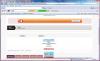
post-2-13813658230014_thumb.png

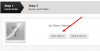
I can get to this page but it's not all there! It only has the top bar where it says "step 1 & step", then under that, it has 2 "browse" options. I am able to upload pic 'descriptions' here, but there is nothing else on the page!!!

http://www.verticalsleevetalk.com/index.php?app=gallery&module=post&section=image

This is the page I get to! Where do I got from here!

I've NEVER had an issue posting pics on the computer...I'm about ready to give up!!! :(

When you get to that page simply do the following:

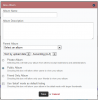
1) Click "New Album"

2) Enter the Album Name, Description and select the Parent Album (Members Gallery or Before/After)

3) Save

4) Click "Choose Files"

5) Choose the photos to upload

6) Click "Review and Plubish"

7) Review

8) Click "Finalize and Publish"

That should do it. I just created a test album under your account and had no problems...please follow the steps above and let me know if it works.

When you get to that page simply do the following:

1) Click "New Album"

There is no place that says "New Album" on that page, at least not on mine. If I could find a page that had that, the rest would be easy!!!

Can you provide me with a screenshot of what exactly you do see?

How do I do this?

Windows & Internet Explorer

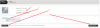
I hope I did this right! I guess we'll see!!!

post-19468-138136582314_thumb.jpg

OMG, it worked!!! Thanks, that's pretty cool!!!

Join the conversation

You can post now and register later. If you have an account, sign in now to post with your account.

Guest
Reply to this topic...

Trending Products

PatchAid Vitamin Patches

Account

Navigation

Search

Search

Configure browser push notifications

Chrome (Android)
  1. Tap the lock icon next to the address bar.
  2. Tap Permissions → Notifications.
  3. Adjust your preference.
Chrome (Desktop)
  1. Click the padlock icon in the address bar.
  2. Select Site settings.
  3. Find Notifications and adjust your preference.