Skip to content
View in the app

A better way to browse. Learn more.

BariatricPal

A full-screen app on your home screen with push notifications, badges and more.

To install this app on iOS and iPadOS
  1. Tap the Share icon in Safari
  2. Scroll the menu and tap Add to Home Screen.
  3. Tap Add in the top-right corner.
To install this app on Android
  1. Tap the 3-dot menu (⋮) in the top-right corner of the browser.
  2. Tap Add to Home screen or Install app.
  3. Confirm by tapping Install.

Being THAT guy!!

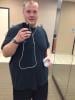
Recently I went to Chicago with my family for 5 days. I have been exercising 6 days a week (walking/jogging and strength training). While on vacation I was excited to use the hotel gym. On my first day though I woke up early and was the first person to the gym! It felt good to be THAT guy in the gym working out at 7 a.m.!!

post-347899-13813142123487_thumb.jpg

Started my journey at 369 (March 1st).

Surgery on May 6th (333).

Today's weight 303.

  • Replies 7
  • Views 855
  • Created
  • Last Reply

Featured Replies

Go ahead, that guy! You are doing great! congrats, and this is also, a great NSV!!!

Lookin' good, Creekwood!

  • Author

Thanks everyone!!

Great Job!!

I just noticed your hometown! I'm gonna be there next week. My son's with the Denver Blue Knights Drum Corps and they are playing at Centerville HS Monday night. Its a small world. :)

Edited by catfish87

Congratulations on your weight loss.

  • Author
Great Job!!

I just noticed your hometown! I'm gonna be there next week. My son's with the Denver Blue Knights Drum Corps and they are playing at Centerville HS Monday night. Its a small world. :)

That's really cool! The CHS is about ten minutes from my house. That's where my son will go to High School eventually (he's 5 haha). Very small world!!

Archived

This topic is now archived and is closed to further replies.

Trending Products

PatchAid Vitamin Patches

Account

Navigation

Search

Search

Configure browser push notifications

Chrome (Android)
  1. Tap the lock icon next to the address bar.
  2. Tap Permissions → Notifications.
  3. Adjust your preference.
Chrome (Desktop)
  1. Click the padlock icon in the address bar.
  2. Select Site settings.
  3. Find Notifications and adjust your preference.