Skip to content
View in the app

A better way to browse. Learn more.

BariatricPal

A full-screen app on your home screen with push notifications, badges and more.

To install this app on iOS and iPadOS
  1. Tap the Share icon in Safari
  2. Scroll the menu and tap Add to Home Screen.
  3. Tap Add in the top-right corner.
To install this app on Android
  1. Tap the 3-dot menu (⋮) in the top-right corner of the browser.
  2. Tap Add to Home screen or Install app.
  3. Confirm by tapping Install.

Duh Genius!!!!

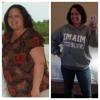
I had my second fill in April and went in yesterday for my 1mth follow-up. I won't even lie I was dreading getting on the scale I have not worked out the entire month (bad girl lol) but to my surprise I lost 13lbs.

Needless to say I left the doctor's office and worked out for an hour....I realized if I had done this all along, I probably would be further along in my weight loss journey.

For someone who's so smart I can be really dense!!!!! :rolleyes:

  • Replies 3
  • Views 729
  • Created
  • Last Reply

Featured Replies

Way to go!

Slow and steady wins the race ... Consistency trumps all - especially in exercise. Congrats on your 13lbs!!

Lee

DONT LOOK BACK your on your way keep it up and come to the chat room for more support anytime.

Archived

This topic is now archived and is closed to further replies.

Trending Products

PatchAid Vitamin Patches

Account

Navigation

Search

Search

Configure browser push notifications

Chrome (Android)
  1. Tap the lock icon next to the address bar.
  2. Tap Permissions → Notifications.
  3. Adjust your preference.
Chrome (Desktop)
  1. Click the padlock icon in the address bar.
  2. Select Site settings.
  3. Find Notifications and adjust your preference.