Skip to content
View in the app

A better way to browse. Learn more.

BariatricPal

A full-screen app on your home screen with push notifications, badges and more.

To install this app on iOS and iPadOS
  1. Tap the Share icon in Safari
  2. Scroll the menu and tap Add to Home Screen.
  3. Tap Add in the top-right corner.
To install this app on Android
  1. Tap the 3-dot menu (⋮) in the top-right corner of the browser.
  2. Tap Add to Home screen or Install app.
  3. Confirm by tapping Install.
  • Appearance

Join BariatricPal free

  • Ask your own questions
  • Reply and follow topics
  • Message other members
  • No cost, no spam

The new me!

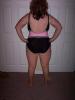
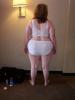
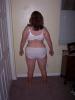
I recently hit the big 50 lbs loss a month ago. I thought I'd post a picture here of the new me. One is taken the day before surgery & the other is yesterday. I am down 55 lbs!!

post-204862-13813133325817_thumb.jpg post-204862-13813133326168_thumb.jpg

Several people asked me to post tips to my success. You will find them on page 5!! ;)

post-204836-13813133123882_thumb.jpg

post-204836-13813133124127_thumb.jpg

  • Replies 102
  • Views 7.5k
  • Created
  • Last Reply

Top Posters In This Topic

Posted Images

Featured Replies

Thank you Tricia!! How do you do that?!?! Is there something I can do to make the pictures show up on the first page? Is it easy?!?!? ;) YOU ARE AMAZING!!

Thanks for the kind words everyone!! You all have just become my new best friends!!

You're very welcome, Diane. First, I use a program called Adobe Photoshop to reduce (crop) the size of the photos so that they're not so big. Then, I upload them to my web server, and hyperlink them so that they show up in the post rather than having to click on a link and open a new window to view them. If you have a web server, I can walk you through it.
  • Author

Hey Tricia - Your questions have stumped me! I'll ask my husband if we have a web server!! Ha! I have no clue.

Hi Donna! You have the same underwear as me?!? FUNNY!!! I am 5'7" & the proper weight for me is supposed to be 146 which means I have 56 more pounds to go. I'm not even half way! But, we'll see when I get there. I was 175 when I got married & I thought I looked pretty good then.

:wow2: Diane ~ You look like you weigh your goal right now....really!! How wonderful it must feel. I am so happy for you and thanks for making my heart smile today!! :biggrin1: Success looks great on you!!

;)

You're very welcome, Diane. First, I use a program called Adobe Photoshop to reduce (crop) the size of the photos so that they're not so big. Then, I upload them to my web server, and hyperlink them so that they show up in the post rather than having to click on a link and open a new window to view them. If you have a web server, I can walk you through it.

Okay, I have Photshop and know how to crop. I get the pics from my "My Pictures" file which is where I put them. I send pics from my cell phone to my online photoalbum, them copy them to my pictures, then get them through photoshop, then crop etc. whew! I also have a photobucket account. Do I have what I need to be able to do this too? I can never get 2 pics to merge onto one so I can post side-by-sides. I keep bugging Penni and P'nut. ;)

Hey Diane, are the panties in both pics the same size? Just wunderin'. They look pretty and comfy!

I kept clicking back and forth. WOW what a diffrence.I wish I had taken before pictures like that.Im almost there.

Go to page 2 of the thread...Tricia posted the pics side-by-side. You can stare at Diane's hot bod forever!!!! How's your daughter?

Thanks for posting those pictures. It really helps those of us who are just starting this process to see that kind of progress. Remarkable!

Congratulations!!!!!

--Linda

Hi Donna! You have the same underwear as me?!? FUNNY!!! I am 5'7" & the proper weight for me is supposed to be 146 which means I have 56 more pounds to go. I'm not even half way! But, we'll see when I get there. I was 175 when I got married & I thought I looked pretty good then.

Not only the same underwear but the same figure! If my hair were shorter our before pictures would be a virtual match! LOL

Congrats on being brave enough to share your pics with us - I doubt I'll ever reach that point and am always impressed and appreciative when someone else does.

Okay, I have Photshop and know how to crop. I get the pics from my "My Pictures" file which is where I put them. I send pics from my cell phone to my online photoalbum, them copy them to my pictures, then get them through photoshop, then crop etc. whew! I also have a photobucket account. Do I have what I need to be able to do this too? I can never get 2 pics to merge onto one so I can post side-by-sides. I keep bugging Penni and P'nut. ;)

Hey Diane, are the panties in both pics the same size? Just wunderin'. They look pretty and comfy!

If you have a photobucket account, then, yes, you can post pictures side-by-side. If you open up a new post form, click on the Insert Image icon (it's yellow and looks like mountains with a small stamp in the right-hand top corner), and then paste the URL (web address) of your photobucket image, and then click ok, it will paste the image directly in the post. Then, if you click to the right of the image you just posted and hit the space bar a few times, you can paste another image to the right of the first by following the same steps. Just make sure your images aren't too wide that they end up one on top of the other. I recommend no wider than 350 pixels. Did I just confuse people even more??

Here's a sample picture that I have on my photobucket account. If you right click on the image and choose Properties, it will show you the location of the URL.

3-17-06_12copy.jpg

WOW!! Did I remember to say WOW?!?

Dianne - you look fantabulous!!

And that's at only 50 lbs. DANG!

What a Hot little number you are going to be when you get down to goal!!

Keep up the great work!

Join the conversation

You can post as a guest; create a free account to track replies, follow topics, and be part of the largest weight loss surgery community.

Join the conversation

You can post now and register later. If you have an account, sign in now to post with your account.

Guest
Reply to this topic...

Account

Navigation

Search

Search

Configure browser push notifications

Chrome (Android)
  1. Tap the lock icon next to the address bar.
  2. Tap Permissions → Notifications.
  3. Adjust your preference.
Chrome (Desktop)
  1. Click the padlock icon in the address bar.
  2. Select Site settings.
  3. Find Notifications and adjust your preference.