Skip to content
View in the app

A better way to browse. Learn more.

BariatricPal

A full-screen app on your home screen with push notifications, badges and more.

To install this app on iOS and iPadOS
  1. Tap the Share icon in Safari
  2. Scroll the menu and tap Add to Home Screen.
  3. Tap Add in the top-right corner.
To install this app on Android
  1. Tap the 3-dot menu (⋮) in the top-right corner of the browser.
  2. Tap Add to Home screen or Install app.
  3. Confirm by tapping Install.
  • Appearance

Join BariatricPal free

  • Ask your own questions
  • Reply and follow topics
  • Message other members
  • No cost, no spam

Westchester County (Ny) Mentor/buddy Available!

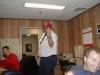
Hi my name is Steve I had my surgery done in 2006 by Dr.Kurian at Lennox hill hospital On her last day before she moved to NYU. I have since lost over 120 lbs. Some have accused me of faking due to my error in dates, I am here again to prove my honesty! Here is a photo of me at my heaviest

post-339097-13813140138084_thumb.jpg

  • Replies 4
  • Views 582
  • Created
  • Last Reply

Top Posters In This Topic

Posted Images

Featured Replies

  • Author

Again I do apologize for my dain bramage! :( Sometimes the Hamster gets distracted and forgets to keep running, ANYWAYS... again i offer my Mindless babble I often call Advice to any whom seek help (God help you all...) please don't hesitate to reach out to me at

slvrnblk77@aol.com that is my primary email account. NO spam will be sent in return, just a few bologna sandwiches :rolleyes:

Lets see if I get any responses.... <_<

My apologies, Steve. I honestly thought you were a fake account here to spam us (we get that a lot, sadly!)

I'm very sorry! :(

  • Author

No Worries, I understand it's all good ! :D Congrats on your ongoing succsess!

Join the conversation

You can post as a guest; create a free account to track replies, follow topics, and be part of the largest weight loss surgery community.

Join the conversation

You can post now and register later. If you have an account, sign in now to post with your account.

Guest
Reply to this topic...

Account

Navigation

Search

Search

Configure browser push notifications

Chrome (Android)
  1. Tap the lock icon next to the address bar.
  2. Tap Permissions → Notifications.
  3. Adjust your preference.
Chrome (Desktop)
  1. Click the padlock icon in the address bar.
  2. Select Site settings.
  3. Find Notifications and adjust your preference.