Cakb10
LAP-BAND Patients
-
Joined
-
Last visited
-
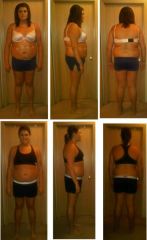
I am 19, and like most teenagers I still have body issues. BUT, they have definitely improved with my 85 lb weight loss. I still look in the mirror and jiggle the fat that will just NOT COME OFF!!!! I definitely do think that more self acceptance will come with time, but for now I still do have some issues with my body.
-
Thank you everyone for all of the help! So far I have been okay to eat small quantities of pasta and rice, I just tend to stay away from them at my doctors advice. I have yet to try bread again (probably a good option for me!) but i suppose I will just have to wait and see once I am at my weight loss goal! Thank you!
-
The before pictures were taken after I had already lost about 15 pounds, but I still am glad that I took them :) The second row of photos is my halfway point at about 50 lbs lost. Couldn't be happier!
-
Hello everyone! I was just wondering if anyone knows that if I had the saline removed from my band at some point in my life, would I be able to eat things like bread, rice, and pasta with no trouble? This is not something that I am considering anytime soon, I was just wondering if I will ever be able to eat a sandwich ever again :puke: Thank you! Caitlin
-
Hello everyone. I was banded on July 12th and am awaiting my first fill on Aug 12th. I am planning on going camping with some friends for the weekend and I am just wondering if it is okay to drink a little bit of alcohol this soon after surgery? I am not talking about massive quantities because being heavily intoxicated is not exactly my lifestyle. I am simply wondering if it is dangerous at all to my surgery if I do have a drink or two over the weekend. I do know that alcohol slows down weight loss, and once my band is filled I will become intoxicated MUCH faster than normal, but for those of you who did drink soon after surgery, was this a problem for you? Any help is greatly appreciated! Thank you!
-
Thanks everyone for the tips! my pain is actually much better now. I have been wearing my very tight tank tops that I usually wear to suck my stomach in, but they help very much to avoid the stabbing pains. It has to do with the compression my surgeon told me. Congrats to you all and it looks like we are all going to be on this journey together! Caitlin
-
Thank you I will have to give that a try!
-
Hello everyone! I was just banded on monday (July 12th) and I am experiencing some very sharp stabbing pains near a few of my incisions practically every time I move. I do know that with every surgery, pain is to be expected I was just wondering if anyone has any tips to sooth the pains in my stomach. I have been taking my prescribed pain medication but I feel like I need something else to calm the pains. I am so excited to have finally begun my journey! I would just love it to be as comfortable as possible! Thanks everyone!
-
My insurance company required proof of weight loss attempts from my doctor or if I could get paperwork from weight watchers. See if there is other options that your insurance company will give you :thumbup:
-
I hope they get back to me quickly! It sure would be nice to schedule my surgery date pronto! Good luck with the insurance company to you!
-
Congrats to those of you who have gotten bands and been successful already! I love hearing success stories :] To the girl who has been considering lap band surgery for the past few months, the first thing I did witht the insurance company is call them and ask if they even cover it at all. Many of them don't so it would be good to know up front if they do banding. Good luck on your process and I encourage you to meet with a surgeon! it is the best feeling when you start the process :thumbup: -Caitlin
-
I am almost giving myself an anxiety attack posting full body pictures of myself and pictures that have not been photoshopped at all. I am so used to taking pictures above my head so that you can't see my body or double chin that it is really hard for me to show these to the world. I am glad that I can do this finally since I think of all places online I should feel most comfortable here!
-
 Sheesh I change my hair too often!
-
 This was my senior picture. It makes me sad to think of all the photoshopping I required on my double chin before I would allow this picture to be in the yearbook.
-
 Me!
Me!
-
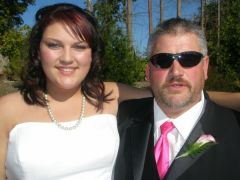 My dad and I at my sisters wedding a couple years ago!
-
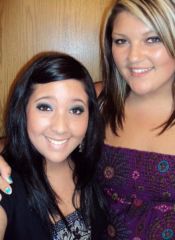 My friend Miranda's 18th birthday.
-
 Me and Daddy :) The best man in my life!
-
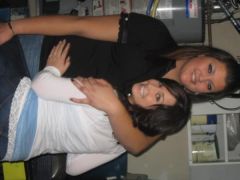 One of my best friends Linzey and I. See I really am tall!
-
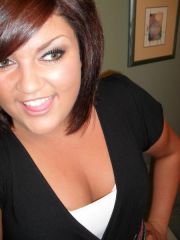 Ha, see I told you about taking pictures of yourself from up higher! It hides EVERYTHING!These pictures with my shorter hair are the most recent.
-
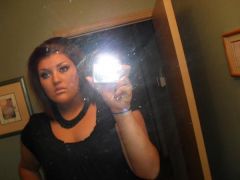 That is about as much of my body as I will usually show people in pictures :/ I carry about 80% of my excess weight in my stomach.
-
 Me and my dog Jackson :]
-
 This was a couple years ago :)
-
 My 18th birthday!
-
-
Thank you everyone! For the most part it seems like UHC approved rather quickly which is great!I'm keeping my fingers crossed:)
-
Wow thank you so much for being so honest! I am glad that I can at least be prepared now and not have my head in the clouds!:thumbup: I hope you start feeling better...its sad to hear you are in so much pain. I'm sure it will be worth it in the end:)
-
Hi amanda! Wow that's awesome that you just got banded! How are you feeling so far??? Is the healing as much of a breeze as everyone says it is? Thanks for replying! -caitlin