





nancy murphy
LAP-BAND Patients
-
Joined
-
Last visited
-
-
-
Nov 4 2009 I was band... I was size 7x in pants...ot size 30 with lots of elastic ......now regular size 10-11
-
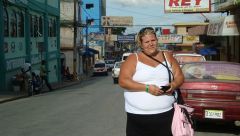
Before Surgery IN 2009...I had my surgery in November 2009
-
 269169_10150695430630363_716375362_19628428_4844632_n.jpg
-
 150383_10150314245035363_716375362_15673765_1411415_n.jpg
-
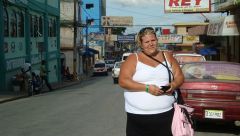 390 Pounds
-
 2008
2008
-
 208-2009
-
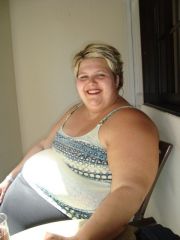 Mars 2008
-
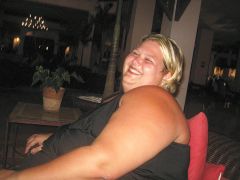 2009
2009
-
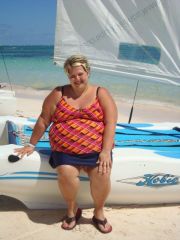
 October 2008
-
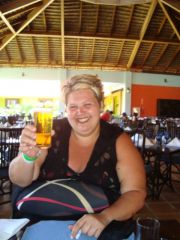
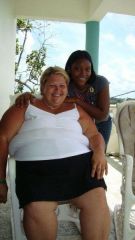 September 2009 ......Ladst Vacation before Surgery coming in November 2009
-
 September 2009 ......Ladst Vacation before Surgery coming in November 2009
-
-
Result After, a weight loss surgery photo album by nancy murphy on BariatricPal. 10 photos in Before and After Lap Band Photos.
-
 Summer 2011......first time in a bikini all my life...
-
 I feel good :) 18 Month after surgery
-
 I feel younger :) Less than 2 years after my surgery a new me...
-
 June 2011 again :) less than 2 years
-
 June 2011.202 Pounds gone
-
 202 pound gone in june 2011
-
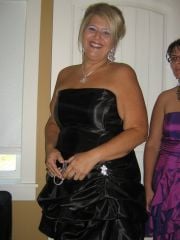 153 pound gone in october 2010.in 1 years
-
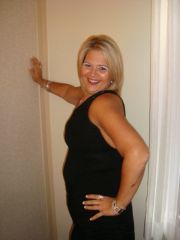 150 pounds gone
-
 150 pound gone
-
 Photo took in June 2010 ...150 pound gone
-
-
Me I am doing great!!! I havent been week on boots. I have work my first full week after I took the second week off because where I work they were eating a lot of fast food etc...It was too hard. But over all it was all worthed. I have been band on november 4 and I have lost 120 pounds. As you see the band is great for me. It not true that it not complicated after a certain point or always easy...but I was decided to put all my energy in my losing weight process!!! You will be satisfy and very happy about result....dont be nervous be excited!!! :cursing:
-
Hey this is a great news!!! The Band is wonderfull!! Good Luck in June
-
Hi Donna If you want I will be home tonight ,,,,do you prefers to call me???? I dont mind at all
-
Hi to all I had my surgery on Nov 4 and I have 63 pound gone already. It when perfectly for me and I had my first fill in middle december and all is good. Personally the worst was the 2 weeks before and 2 weeks after. Now I am getting use to all those change and I have 0 regret!!! If any of you have question and want to contact me my email nancyanne_@hotmail.com Have a good day!!
-
Hi Radar2 My request was sent 6 years ago on moncton. Last years in november they call me and ask if I was interrested to be transfert to Bathurst I said yes. 3 days after I had my first appointement i beleive on nov9 2008 with Dr Savoie. He told me I was approuve right away by medicare because my BMI was 57. I when to see him again on august 17 2009 and he told me I would be operated in November because he wanted to prepare his Surgery team a little bit more because he have'nt dont much in summer and I was a high BMI. So i when on November 4. Like everyone I when on Boots for 2 weeks and today I have 1 week and 2 days after Surgery and it been going much better that I would have imagine. It does not hurt...not for me ...not yet anyway. I havent vomit or any other complication yet. I lost 26 pound in 3 weeks and it work!! My first fill is on decmber 14 and I beleive that if everything continue like it started I will be very happy to have chosen that option. Take Care Nancy
-
Hi to all I had my operation on nov 4 so 6 days ago. It when perfectly. I did'nt hurt. It when very good. If anyone have any specific question sent me a message I will answer. Have a good day
-
Usually it paid by medicare. Give them a call they area great !
-
Hey I maybe have a couple of trick...send me a email nancyanne_@hotmail.com I am 32 and got approuve right away Nancy
-
I`ve made a mistake I start my boots this wednesday. On october 21...sorry
-
Hi StellaRae I`éve seen doctor Savoir first time in November 2008 for the first time. I when to see him for the second ans last time in august 2009. I receive my call from the doctor office october 9 and I am starting my boots on november 21 and will get operate on november 4 in the morning. So on october 19 when you will meet with doctor savoie he will make you meet the dieticien first and tell you ruffly when you will have the operation and they will call you when you dont really espect and give you your date. Hope it help :confused:
-
Hi Cindy and Annie I seen him on November 4 2008 the first time. I when to see him on august 17 and sign the paper for operation and I wont need to see Dr Savoie again before. He will operate on me on November because my BMI is High and he want to prepare his medical team a bit more because he havent done much surgery in summer. :blushing:
-
wow!!! Congrat this is great. I when to see Dr Savoie monday and next time I will be on the operation table!! I am quite excited!!
