
Sunnyway
Gastric Bypass Patients
-
Joined
-
Last visited
-
-
-
-
-
-
-
-
-
-
-
I did have to get a tooth pulled after WLS, but I had gone over a year between appointments due to the pandemic so I don't necessarily blame the WLS and its complications. I had "full mouth rehabilitation" in 2008 resulting in reshaping my bite with crowns on all of my teeth. Over the years I've had to replace a few crowns or have had some root canals and subsequent implants. Yes, crowns are expensive. Implants are even more expensive, and you do need good bone structure. I have five implants now. I can't tell the difference between the implants and my natural teeth. I don't regret the expense even though I had to budget and save for each procedure. My health and smile are worth the expense.
-
-
-
-
-
-
-
It does get better. It's normal to have regrets at your current stage. I am one of the very rare bariatric surgery patients to have serious complications. However, after a challenging year, I've lost a total of 115 lbs and my life is totally normal. I eat regular food and have resumed all of my prior activities. A year ago I was in hospital due to peritonitis and sepsis arising out of bariatric revision surgery. I rued my decision to have RNY>RNY revision surgery. I spent 7 weeks in hospital with 3 endoscopy procedures and two open surgeries, followed by 3 weeks in a rehab facility before returning home. I had an open surgical wound for another 3 months, requiring daily dressing changes. I'm lucky to have survived at all, with organs and limbs intact. Because of the endoscopy procedures my pouch and anastomosis were stretched so I now have minimal physical restriction and will have to watch my diet and record my intake for the rest of my life. I accept that and hope to lose more, but will be content if I don't continue to lose. If you read the many stories on this site you will see that regrets pass and the vast majority of us are ultimately happy with our decisions to have surgery. Life does return to normal. You will be able to eat normal food. If you follow an appropriate food plan and learn how to eat differently during this period of restriction you will lose weight and keep it off. Since you have had such meager support, it's up to you to read and learn more about how to make a successful return to normal life minus the excess poundage. There are many excellent books available. You may be able to get some on Amazon.de or have them sent to you by someone in the US (or on Kindle in English). Here are a few of the books I recommend. There are many other excellent books and cookbooks to support you. You may ultimately still need breast reduction surgery, but you will be in better shape before you proceed with it. In the meantime, make the most of the tool you have been provided. Hang in there. Day by day, it will get better.
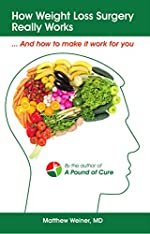

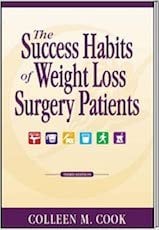

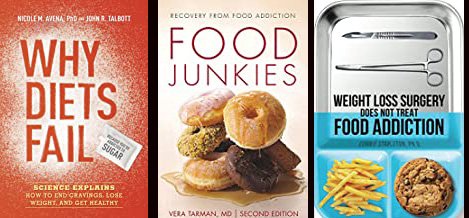
-
-
It's unlikely that you would ever projectile vomit. If you overeat and get uncomfortable you may make yourself up-chuck to bring it up. A finger or spoon at the back of your throat will trigger the gag reflex and help you bring it up.
-
-
-
-
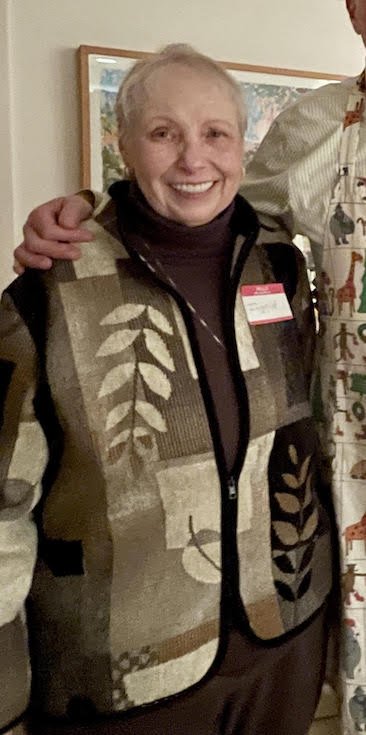
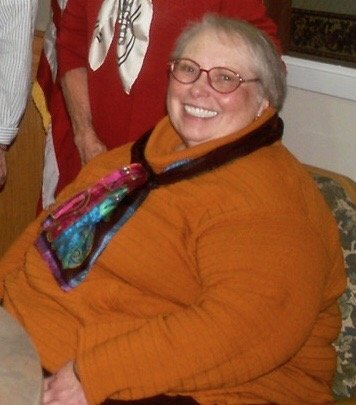
It took one year and two weeks post surgery (plus 7 months pre-surgery), but today, nekked, on my own scale, I hit ONEderland, 199.6 lbs. Yipee! I know it's transitory and I'll bounce back and forth for a while, but this is the first time my scale has shown under 200 lbs for about 25 years. I've gone from a size 30-32 to an 18-20. My hair is growing back. My brother is moving back home after 30+ years as an expat. I've booked a southern Caribbean cruise for April and he's going with me. All is good! Just when I finally got all skinny leg pants, I discovered that the "in" style is again baggies. Well, there are some things you just can't win.
-
 before.jpg. A weight loss surgery photo shared by Sunnyway in Before and After Gastric Bypass Photos on BariatricPal.
 -
 onederland.jpg. A weight loss surgery photo shared by Sunnyway in Before and After Gastric Bypass Photos on BariatricPal.
 -
I didn't drink alcohol at all for 8+ months post surgery. I'm now 12 months out. I do drink wine and spirits now but it hits me very fast and hard. I'd be staggering at two drinks. Also, alcohol wastes calories. I'd rather save them for real food. Another reason to avoid alcohol is "addictive transference" Alcoholism developing after bariatric surgery is a real thing. I'm going to do the "Dry January Challenge". It's New Years Eve tonight, so I'll have my last drink for at least a month.

-
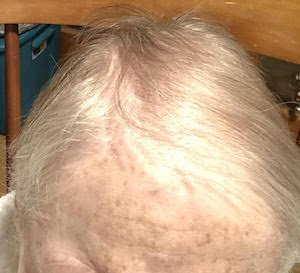
Update: It's been a month since I posted the photo of my hair loss last spring. This morning I noticed a lot of 1-2" long hairs on top of my head. I can actually part my hair and the scalp is not so prevalent. I lost most of the hair in June, so it's taken 6+ months for it to noticeably grow in.
-
But... how to avoid that? There should be no "projectile vomiting". The moment you have the merest inkling that you've had "enough", stop eating. This is a subjective feeling. If you feel your saliva increase, stop. If you feel a tightness in your chest (which is where the pouch is located, not lower in your belly), stop. Do not eat to "fullness". Immediately post-surgery is when you will learn how to eat differently. It's very important to take advantage of this. If you feel plugged up, you can put your finger or the bowl of a spoon at the back of your throat and up-chuck into the kitchen sink. It's NOT projectile vomiting. It's not bulimic vomiting--it just clears out the overfull pouch that is causing the meal contents to back up into your esophogas. It's not vomiting at all--there is no bile. It's just the masticated food you last ingested. Deliberate up-chucking will give you relief. However, repeated up-chucking can stretch the pouch, so take heed and stop eating before you reach the point of discomfort.
-
Try FitLife fat-free milk. It's ultra-pasturized and lactose free--plus it tastes good. It also froths like a dream. I also encourage you to buy a few bariatric cookbooks. There are many on Amazon. They give ideas for all stages post-surgery.
-
I hope you know that there will be a drain or drains following your bariatric surgery! I found them uncomfortable but bearable.
-
Yes, if you eat until you "feel full" you will stretch your pouch. The restriction is temporary. Use it to learn how to eat differently. You're not much at risk at the puree stage, but you must still control your intake. During the restrictive period overeating may be uncomfortable or even painful--but not everyone experiences that physical sensation. Follow the guidelines provided by your clinic as to quantities. You will never again have this tool, so use it wisely.
-
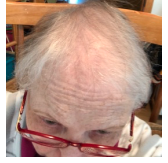
I lost hair and started wearing chemo caps and headscarves and finally bought a wig. Then I made a new friend who is utterly bald due to alopecia. Her courage in going hairless has been inspirational and I have become much less self-conscious about my thin hair. My hair has started growing back (but is still very thin). My head gets cold so I do wear baseball caps and knit stocking caps but I'm no longer embarrassed to go bare-headed inside.
-
Unfortunately what you experienced is exactly why few surgeons do lap band surgery anymore. A bad result does not necessarily mean medical malpractice. You had bad luck, just as I did. I had RNY>RNY revision last December 21. Ten days later I was airlifted back to the hospital with peritonitis and sepsis. My small intestine had split post surgery and everything I consumed was entering my abdominal cavity. I spent 7 weeks in hospital, had 3 endoscopy procedures, two open surgeries, and then spent 3 more weeks in a rehab facility. This was just about as bad as it could get: I was near death. However, I recovered without loss of any organs, limbs, or mental capacity. I never blamed my surgeon or the hospital.
-
I dropped 50+ lbs pre-surgery by cutting out all foods containing sugar, flour, white potatoes, rice, and processed foods. These are my trigger foods. I consider myself to be a sugar/food addict. I can never go back to eating these things with abandon. I started using the Baritastic app. I occasionally used liquid protein shakes during that period. My calorie count dropped to around 1000 per day. I attended water exercise classes three days a week, including swimming 1/4 mile each time. I also increased my mileage on my walking tricycle to at least a mile a day. I've lost another 50+ lbs since my RNY>RNY revision surgery. I still strive to avoid my trigger foods. It's harder to resist now and weight loss is slow going, but I'm still dropping a few pounds a month with lengthy stalls.
.png "Care")