tiff86
Gastric Sleeve Patients
-
Joined
-
Last visited
-
-
I had my surgery on 12/18. I’m down 91 lbs so far. Congrats on everyone’s success. Hang in there y’all!
-
-
I live in Slidell
-
-
I’ve came a long way
-
-
tiff86 changed their profile photo
-
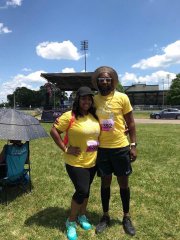
I’ve been good! I was sleeved on 12/28. Im down 67 lbs since my surgery. Im pleased with my results bc I’m strength training 4 days a week and I’ve gained a lot of muscle. I’m working on losing and toning at the same time. I’m not at my goal yet but I’m getting there! Best of luck to all of you!!!
-
I was sleeved on 12/18/17 and I’m down 46 lbs Tiffany
-
-
Sleeved 12/18/17 down 31 lbs Tiffany
-
How have you been doing since the surgery? Tiffany
-
-
-
-
-
-
-
-
Sleeping is so much better. Plus the recliner has a built in massager which I absolutely love! Trust me you’ll love it! Tiffany
-
-
-
-
Hi everyone! I had my vsg surgery on 12/18/17. I’m at home recovering. I had my pcp follow up today and it went well. I’m down 6 lbs since my surgery. The only issue I’m having is sleeping. I had my husband go out and buy a recliner for me to be able to sleep at night bc my bed and my couch were horrible! Plus I usually asleep on my stomach. Tiffany
-
-
Me too! The hospital bed was so uncomfortable and so is my bed.
-
I’m 3 days post op and I normally sleep on my stomach. Every position I try has my stomach hurting. Any suggestions? Tiffany
-
I was sleeved on 12/18. The first night was really rough. I started to have regrets bc I was in so much pain. I walked around and still felt gassy. Each day is getting better. I’m down 5 lbs since Monday! Tiffany
-
Good luck! My surgery is tomorrow too! I’m scheduled for 11:30am. It I have to be at the hospital at 8:00am! You will do awesome! Tiffany
-
What are the best vitamins to take after surgery? My surgery is tomorrow, my dr office doesn’t have a specific brand I have to use but I’m getting a lot of mixed reviews online. Can anyone help? Tiffany