





Skip to content
View in the app

A better way to browse. Learn more.

BariatricPal

A full-screen app on your home screen with push notifications, badges and more.

To install this app on iOS and iPadOS
  1. Tap the Share icon in Safari
  2. Scroll the menu and tap Add to Home Screen.
  3. Tap Add in the top-right corner.
To install this app on Android
  1. Tap the 3-dot menu (⋮) in the top-right corner of the browser.
  2. Tap Add to Home screen or Install app.
  3. Confirm by tapping Install.
  • Appearance

Join BariatricPal free

  • Ask your own questions
  • Reply and follow topics
  • Message other members
  • No cost, no spam

Jackson53

Gastric Bypass Patients
  • Joined

  • Last visited

Everything posted by Jackson53

  1. I also have my surgery on January 17th. It can't come soon enough, I am just so excited about it! Sent from my iPad using the BariatricPal App
  2. One of the reasons I didn't have the sleeve was because I already have a raging case of GERD. Bypass will hopefully alleviate that as well. Sent from my iPad using the BariatricPal App
  3. Lol my wife is going to love that. The ten hairs on my back that bug her now are going to seem like a sweater. Sent from my iPad using the BariatricPal App
  4. Call your surgeon. Could be a lot of things, but better be safe than sorry. Sent from my iPad using the BariatricPal App
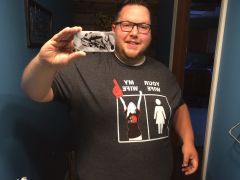
  5. Images added to a gallery album owned by Jackson53 in Before and After Gastric Bypass Photos
    Before surgery
  6. I'm having surgery Jan 17, so I can't really answer your question but I have noticed my beard has really started to go gray. I hope you are on to something!!!! Sent from my iPad using the BariatricPal App

Account

Navigation

Search

Search

Configure browser push notifications

Chrome (Android)
  1. Tap the lock icon next to the address bar.
  2. Tap Permissions → Notifications.
  3. Adjust your preference.
Chrome (Desktop)
  1. Click the padlock icon in the address bar.
  2. Select Site settings.
  3. Find Notifications and adjust your preference.