flab2fab_in0117
Pre Op
-
Joined
-
Last visited
Everything posted by flab2fab_in0117
-
Hey ladies! So I was on my period during surgery on 12/4. You are not allowed to have tampons inserted during surgery. Just use them before . They will provide you with underwater and pads you can wear.
-
Thank you all!
-
Hi! I am pregnant. I found out 2 weeks prior to my first surgery date. Now I am scheduled about 7 weeks after I give birth. Does anyone know if my breastmilk production will be affected at all? I will definitely pump about 1 & 1/2 weeks worth of breast milk before the surgery but what about after? I don't want to have any issues producing milk for my little one all advice is welcome!
-
Got approved in 2 days !
-
Jan 19. I am soooo ready ! Sent from my iPhone using the BariatricPal App
-
I am way to excited ! Where are my January sleevers ?! Sent from my iPhone using the BariatricPal App
-
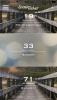
Anyone having surgery Jan 19th? I am having with Dr. Ferrari in Houston, Tx! I am so excited! Sent from my iPhone using the BariatricPal App
-
Oh great. Thank you! Sent from my iPhone using the BariatricPal App
-
Hi everyone ! I am new and currently completing all of my pre op requirements. I have bcbs of Minnesota and I would like to know how long it took for an approval ?? Sent from my iPhone using the BariatricPal App