Daniel2015
Pre Op
-
Joined
-
Last visited
Everything posted by Daniel2015
-
Thank you, fitnotfat! Sent from my iPhone using the BariatricPal App
-
Thanks, Gogreenmama! (Great name by the way). Sent from my iPhone using the BariatricPal App
-
HisMrsWright, Dr. Hoehn's my guy! Love him so much. Congratulations to you, too. I hope you're doing well! Sent from my iPhone using the BariatricPal App Mindy, it's not thaaaat amazing, lol. Thank you very much! Sent from my iPhone using the BariatricPal App Thank you, northcountry. Sent from my iPhone using the BariatricPal App
-
You're so sweet Carlaw! Thank you! Sent from my iPhone using the BariatricPal App Aw shucks, Lisa! All the best you. Hope all is well on your end. Sent from my iPhone using the BariatricPal App Thanks, Fay! Sent from my iPhone using the BariatricPal App
-
Thank you, Deb! We need a catch up session. I just hate to bug you now that you've got that project. I'd love to talk again when things aren't too busy for you. Sent from my iPhone using the BariatricPal App
-
James, you're an inspiration to me. I've watched you help countless newbies-such a great guy! Sent from my iPhone using the BariatricPal App Thanks, Pammie! Sent from my iPhone using the BariatricPal App
-
RJC, happy to share. Closer to 15 months-but thanks! Sent from my iPhone using the BariatricPal App Thank you Gaby! ???? Sent from my iPhone using the BariatricPal App Thanks, J16! Sent from my iPhone using the BariatricPal App
-
Thanks, Clare! Sent from my iPhone using the BariatricPal App Much appreciated Genn, and thank you. Sent from my iPhone using the BariatricPal App
-
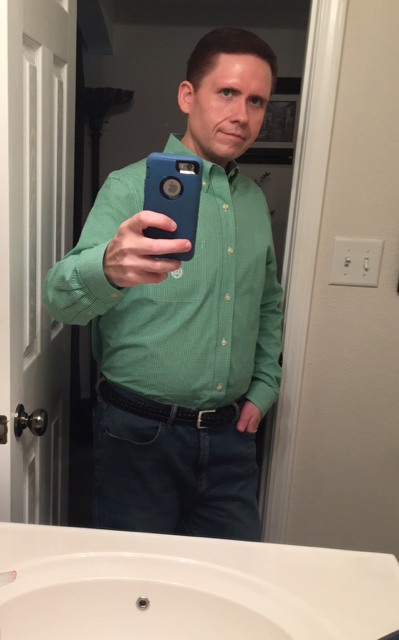
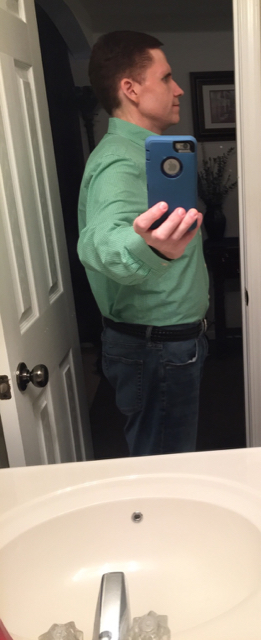
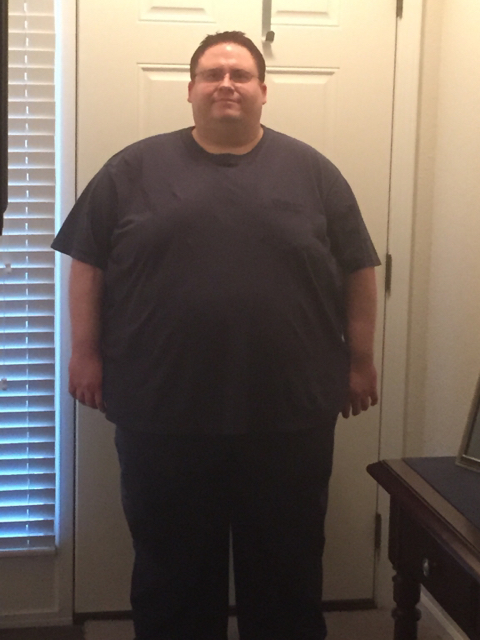
As I've shared before, I started Aug. 4, 2015. I had an RNY in Shawnee, KS. My starting weight: 504. I posted on my surgiversary, but thought I'd share an update-with pics! Right now I'm 189. My best to each of you, Daniel Sent from my iPhone using the BariatricPal App


-
Much appreciated, Suaniya. I'm forging ahead. Best of luck to you. Sent from my iPhone using the BariatricPal App
-
Thank you, ruch5tami! This journey has definitely been amazing. Sent from my iPhone using the BariatricPal App
-
I started at 504 lbs., Aug. 4, 2015 (surgery day) I was 454 lbs. This morning I weighed in at 190.6-so, it can be done! Sent from my iPhone using the BariatricPal App
-
Rebecca, I'll send you a message. Sent from my iPhone using the BariatricPal App
-
Thank you, Monica! Almost done! Sent from my iPhone using the BariatricPal App
-
Well, thank you, Pam. That's nice of you to say. Sent from my iPhone using the BariatricPal App
-
Yes, Gossamer, it has been an awesome year. Thanks for your message! Sent from my iPhone using the BariatricPal App
-
Thank you, Amy. Sent from my iPhone using the BariatricPal App
-
Beautiful! ~Daniel Sent from my iPhone using the BariatricPal App
-
You're very kind. Thank you ShrinkingStacy! All the best to you on your journey! Sent from my iPhone using the BariatricPal App
-
So glad you posted the pics! Breathtaking scenery for sure. Congrats on the accomplishment of having conquered that hike, too! All the best! Daniel Sent from my iPhone using the BariatricPal App
-
Awesome! I'd love to see them, inspirational for sure!! Sent from my iPhone using the BariatricPal App
-
Congrats to you! I love the Colorado mountains!! Did you happen to take any pictures? Sent from my iPhone using the BariatricPal App
-
Thank you, Tanette! Sent from my iPhone using the BariatricPal App
-
Aww, you're sweet, onedeterminedchick. Thank you. Sent from my iPhone using the BariatricPal App
-
Eh, lol...I look okay. But thank you for the message. All the best to you in your journey, GiGiJean! Sent from my iPhone using the BariatricPal App