txtemperance
Pre Op
-
Joined
-
Last visited
-
-
-
-
-
-
-
-
-
-
-
-
-
-
-
Pcchayy05 - you're motivation for me! I had my surgery 10/2015 and started weight training & serious cardio at the gym mid- Jan - hoping it will help with lose skin. I'm thinking it is helping and you are encouraging for me on that point!
-
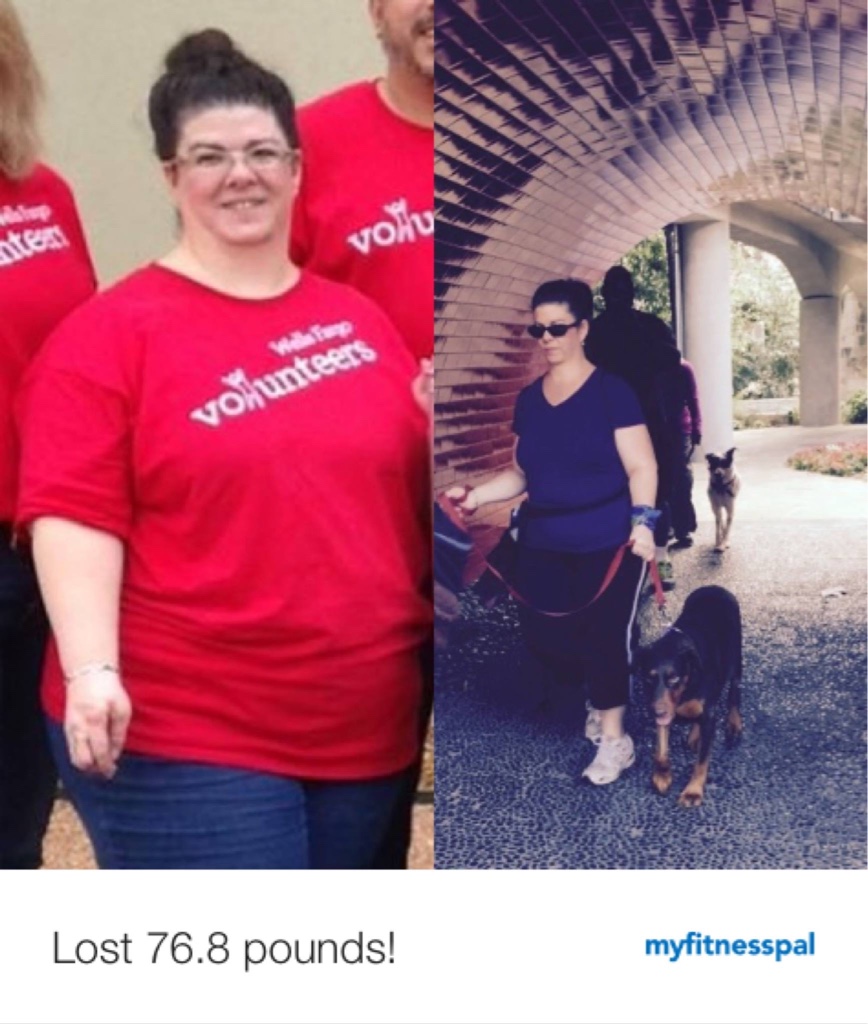
Top weight 4/2015: 265 lbs Current weight 2/2016: 184.8 lbs I had the RNY 10/20/15 San Antonio, Tx
-
-
-
-
-
-
-
Follow your doctor's orders! If your doctor said liquid DIET then that's what you should be on. PERIOD. Sent from my iPhone using the BariatricPal App
-
I had mid range sleep apnea & had the gastric bypass this past Oct 2015; my doctor is very serious about sleep apnea but also acknowledged that MINOR aka mild sleep apnea is not a big concern. Your sleep clinic just wants the $ and your pain mgt Doctor is highly over reacting; simply tell your anesthesiologist about the mild sleep apnea - they have the tools & training to know how to deal with it. They will be watching you very carefully the whole time. These anesthesiologists know what they are doing! It's highly unlikely you'll die due to a mild sleep apnea. Sent from my iPhone using the BariatricPal App
-
I had a gastric bypass end of Oct/2015; I just joined a gym 1 month ago and am doing both cardio & weight lifting ; at my 30 day follow up my trainer said I'd lost 3% of my body fat and he said that was largely due to the weight lifting; I've lost 50 lbs since my surgery in Oct (80 # overall to include the 6 mth Doctor supervised pre-op period); I did some research and read the average person loses about 1% body fat per month. Does that sound about right? Sent from my iPhone using the BariatricPal App
-
Those of you that can't handle sweet - have you tried Greek yogurt? Not as sweet, more Protein, - you just really have to look at the sugar content though - they have great low sugar Greek Yogurt options now days Sent from my iPhone using the BariatricPal App
-
If it's a liquid diet - which I did too - no chicken or salad - food of any kind! The point is to shrink your liver to make getting to your stomach & intestines easier & safer! Try Greek yogurt (look at sugar & Protein content, will need to strain!), talk to nutrition stores about high protein low sugar liquids they have, skim milk, broths, sugar free pudding & Jello, cream Soups w/ skim milk, high protein Meal Replacement drinks. Look at the Vitamin & diabetic sections of your grocery store & read those nutrition labels for protein & sugar numbers! it's vital it be liquid only to shrink your liver! Sent from my iPhone using the BariatricPal App
-
Praying for you! You'll get lots of rest after surgery too! Sent from my iPhone using the BariatricPal App
-
Good for you!! This is a chance to start everything anew! You'll have so much more energy & you're training your mind (and body) now! So happy for you! It's all about you and you have to be your own best advocate! Sent from my iPhone using the BariatricPal App
-
Just trust your anesthesiologist & your body! You'll be tired and you'll need the rest so sleep when your tired, you'll feel a little spacey. Just focus on getting well. You'll need to be up and walking as soon as possible to help prevent blood clots & that also helps speed the healing process. The nurses, doctors & therapists will help you with that part. That will also help get the anesthesia out of your system & get your bowels working faster Sent from my iPhone using the BariatricPal App
-
Once you have your doctor's permission that you are no longer restricted on the weight amount you can lift - start weight lifting!! It increases your metabolism & as a result your % of fat loss! I joined a gym and at my 30 day follow up I'd had 3% fat loss - BMI. I read the average is only 1%. My trainer said it's strictly due to my weightlifting! And I do both cardio AND weightlifting! Sent from my iPhone using the BariatricPal App
-
Good luck on your surgery! We are all very similar! Im 43 and I'm 5'2", highest weight 265 lbs, pre-op 235 ish, now 186. Surgery was 10/20/15. I had the gastric bypass. Best decision ever! I have so much Energy now! Follow doctors orders! You'll do great! Have all your food ready before going into the hospital, ditch all the bad food, and sip your drinks! Sent from my iPhone using the BariatricPal App