Skip to content
View in the app

A better way to browse. Learn more.

BariatricPal

A full-screen app on your home screen with push notifications, badges and more.

To install this app on iOS and iPadOS
  1. Tap the Share icon in Safari
  2. Scroll the menu and tap Add to Home Screen.
  3. Tap Add in the top-right corner.
To install this app on Android
  1. Tap the 3-dot menu (⋮) in the top-right corner of the browser.
  2. Tap Add to Home screen or Install app.
  3. Confirm by tapping Install.
  • Appearance

Join BariatricPal free

  • Ask your own questions
  • Reply and follow topics
  • Message other members
  • No cost, no spam

nichi2016

Gastric Sleeve Patients
  • Joined

  • Last visited

  1.    nichi2016 reacted to a post in a topic: FAD DIETS after WLS
  2.    clc9 reacted to a post in a topic: Before And After Gastric Sleeve Surgery Photos
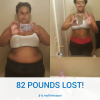
  3. I'm so proud of myself, I had to post a picture. The before picture was taken the morning of my surgery. I lost 10 pounds on the pre-op diet.
  4. I had to quit smoking 2 months ago. I was told to quit due to possible pulmonary problems while under anesthesia during surgery- not nicotine. I did a quick google search and found this: After you quit: At 24 hours the nicotine and carbon monoxide from cigarettes will be mostly gone from your body. Even quitting 12 hours before surgery will improve your heart rate and blood oxygen levels. Is it OK to smoke if I'm having surgery? - Quit Victoriawww.quit.org.au/about/frequently-asked-questions/how.../smoking-and-surgery.html
  5.    shrinkingkimber reacted to a post in a topic: Surgery Date!
  6.    CrissyCakes reacted to a post in a topic: Surgery Date!
  7.    instantpuddin reacted to a post in a topic: Surgery Date!
  8. I got approved last week. My surgery date is June 7th too!

Account

Navigation

Search

Search

Configure browser push notifications

Chrome (Android)
  1. Tap the lock icon next to the address bar.
  2. Tap Permissions → Notifications.
  3. Adjust your preference.
Chrome (Desktop)
  1. Click the padlock icon in the address bar.
  2. Select Site settings.
  3. Find Notifications and adjust your preference.