





Skip to content
View in the app

A better way to browse. Learn more.

BariatricPal

A full-screen app on your home screen with push notifications, badges and more.

To install this app on iOS and iPadOS
  1. Tap the Share icon in Safari
  2. Scroll the menu and tap Add to Home Screen.
  3. Tap Add in the top-right corner.
To install this app on Android
  1. Tap the 3-dot menu (⋮) in the top-right corner of the browser.
  2. Tap Add to Home screen or Install app.
  3. Confirm by tapping Install.
  • Appearance

Join BariatricPal free

  • Ask your own questions
  • Reply and follow topics
  • Message other members
  • No cost, no spam

Terri Long

Gastric Bypass Patients
  • Joined

  • Last visited

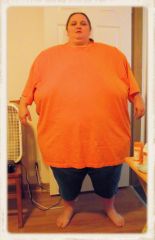
  1. Images added to a gallery album owned by Terri Long in Before and After Gastric Bypass Photos
    Terri Long, a weight loss surgery photo album by Terri Long on BariatricPal. 1 photo in Before and After Gastric Bypass Photos.
  2. Alex Brecher started following Terri Long
  3. Trying to upload my Before photo and it won't upload whole photo and it is sideways!
  4.    Terri Long reacted to a post in a topic: Trial run on pre-op diet
  5.    Terri Long reacted to a post in a topic: Trial run on pre-op diet
  6. You can do it! It helps to have a social atmosphere like this. You get tons of support from people who are going through or have already gone through the same thing. Good Luck and remember, you can do this!!
  7.    Terri Long reacted to a post in a topic: The time frame between fluids and food?
  8.    Terri Long reacted to a post in a topic: The time frame between fluids and food?
  9. I just started my pre op diet 2 weeks ago. I have lost most water weight and have had no cravings until today. I have been feeling a bit ill though today so I am not on my regular routine. The diet is not as hard as I thought it would be. I think the hardest thing is making sure you get your protein in and coming up with a wide variety of recipes to keep your diet exciting. Best of luck to you!

Account

Navigation

Search

Search

Configure browser push notifications

Chrome (Android)
  1. Tap the lock icon next to the address bar.
  2. Tap Permissions → Notifications.
  3. Adjust your preference.
Chrome (Desktop)
  1. Click the padlock icon in the address bar.
  2. Select Site settings.
  3. Find Notifications and adjust your preference.