4LgrLife_53
Gastric Sleeve Patients
-
Joined
-
Last visited
-
-
-
-
-
-
-
4LgrLife_53, a weight loss surgery photo album by 4LgrLife_53 on BariatricPal. 2 photos in Before and After Gastric Sleeve Photos.
-
-
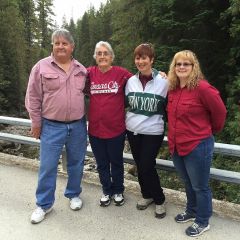
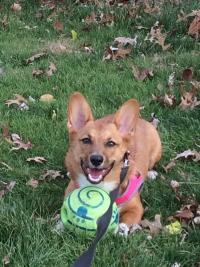
I've been away from the Bariatric Pal site for a few months. Just wanted to shout out to all the friends I've made here on the site and say, I'm back! I lost my sister in early September 2015, after a long battle with asbestos-related illness, obesity, diabetes, and congestive heart failure. Despite it being a blessing that she is no longer suffering, I miss her terribly and still fight some depression from the loss of my last sister (my other sister, who was also obese, died unexpectedly at age 59). Her conditions were a main driving force in my decision to get the Gastric Sleeve to bring my weight down. While I haven't made progress in months on my weight in pounds, I have lost more inches than anything, but am happy to say I haven't gained any back either. I've gone from a size 22W-24W pants down to a 12-14 Petite in women's slacks and jeans, and I have to wear a belt to keep the 14-Petites jeans up!. I can't believe how good it feels to be able to wear jeans again! My shirt sizes have shrunk from a MEN'S 2X-3X (depending on the cut of the shirt), to a MISSES Large. My health has improved tremendously and spent part of Fall 2015 shooting basketball hoops with my oldest son, without running out of breath. During the winter, I've cut and split wood logs for our fireplace with no physical difficulties. While I still have a lot of pain in my leg and ankle (from massive injury in 2013, which required plates and screws to hold things together), it has eased up with the loss of excessive weight. I think once the cold weather turns warmer, my weight loss will pick back up as I'm able to get out and walk my dog. Oh yes, I adopted a new four-legged friend, and she will be accompanying me on my long walks this Spring and Summer. I hope all of you are doing well on your weight loss goals. Best wishes to all! Terry
-
Welcome and congratulations on your weight loss to date. I've lost 60 lbs. I had the gastric sleeve Nov 4th. I just wish I could've done this 25 years earlier. It's great to be able to see the weight come off, and lots of inches. I've had stalls or plateaus along the way (which were aggravating to say the very least), but the inches keep falling off. I started out wearing a 22-24W in women's slacks and 2XL in men's sweatpants. I'm down to a Medium in shorts and sweats, a 16 in women's tops (a large fits comfortably/loose), and wearing a 14-petite in women's jeans. It's a great feeling!! I'm also off tons of medications, including those I was taking for blood pressure, cholesterol, Water pills (lasix), and everything else in between. I was so happy when I didn't have to use a CPAP machine to breathe at night anymore. Dealing with some major hair thinning, despite Vitamins, Protein, etc. I figure I'm just at that juncture, and it'll come back (or I hope so!!). With Springtime, I hope to get more miles in at walking. I haven't been back to the support groups at the Bariatric Center of Kansas City yet, since I'm in the process of moving from Lansing to Leavenworth, KS. I am buying my first home in 8 years. Yay!! I'll be back to the support groups once I get moved in. My name is Terry. Good luck and best wishes to all!!
-
-
I've been in a stall too since about Thanksgiving--like 41 pounds lost and holding. I've noticed the inches coming off a lot and have dropped from a 22W to between a 16W and a 18W Petite (mainly because I'm only 5'6", and the pant legs are too darn long!). I'm hoping the scales start showing a change soon--I know it's a stall and I'm keeping my Protein and fluids going (and exercise!!!)--I'd just like to hit the under 200 mark soon. I'm only 7 lbs off that mark.
-
-
-
-
JUST WANTED TO TAKE THE TIME TO WISH ALL OF YOU A VERY MERRY CHRISTMAS AND A HAPPY, HEALTHY AND SUCCESSFUL NEW YEAR!! FOR THOSE OF DIFFERENT FAITHS, I HOPE YOU HAVE A JOYOUS HOLIDAY SEASON OF WHATEVER (IF ANY) FAITH YOU Celebrate. I HOPE YOU WILL ALSO TAKE TIME TO REMEMBER THE FAMILIES WHOSE LOVED ONES ARE DEPLOYED OVERSEAS IN SERVICE TO OUR COUNTRY, AND THOSE FAMILIES WHO WILL ALWAYS HAVE AN EMPTY PLACE AT THEIR TABLE AFTER THEIR LOVED ONE(S) MADE THE SUPREME SACRIFICE FOR OUR FREEDOMS.
-
I love New Balance shoes for walking or running. My podiatrist recommends them too, because they have wide and extra wide widths, and don't cost a fortune either! Skechers has a pretty nice shoe too. Adidas, most Nike shoes and Puma are way too narrow. Another hint the doctor gave me: On workout shoes, buy them a half-size bigger than you usually wear. Your feet will swell during exercise which tends to pinch your toes. Save the workout shoes for workouts and switch back to your regular shoes (& change socks) after you leave the gym. It also allows your shoes to air out. I don't know about you, but my feet sweat and my socks get damp. Otherwise I get blisters and smelly feet.
-
 BarntruckCutie reacted to a post in a topic:
giving yourself injections to prevent blood clots after surgery
BarntruckCutie reacted to a post in a topic:
giving yourself injections to prevent blood clots after surgery
-
BarntruckCutie reacted to a post in a topic:
giving yourself injections to prevent blood clots after surgery
-
"Anyone still have pain after surgery? I'm 2 1/2 wks out, and have a tremendous pain in lower right abdomen. Bending over or trying to pick something up, and getting out of bed is extremely painful....anyone else ? " To Goosey76 and others: My pain was in my lower left side. It was a stinging burning pain whenever I stooped to pick something up or I turned a certain way (and also when I had a sneeze fit or hiccuped). Found out it was called muscle/tissue trauma pain from the surgeon maneuvering the instruments (laparascopically) inside my belly during the sleeve operation. It took a while, but I am 4 weeks post-op today (Yay!) and the pain is GONE. If there is any doubt about pain, be sure to check with your doctor/surgeon. They can set your mind to rest if it's something common, or they will schedule you to come in to be checked if it is anything more complex.
-
Just an added note, be aware that later in the day after you do injections, you may have a small bruise at the injection site--this is normal from all I experienced. If you have severe bruising though, make sure you contact the doctor about the dosage of the Lovenox (be sure to read the side effects sheet that comes with the medication). I didn't have any problems, but it is something to be aware of. Not meant to scare you, but something you should acquaint yourself with. Each person is different. The doctor does lab work prior to your surgery to see where you're at with your blood levels, etc. As I said before, I didn't experience any pain with the shots nor any excessive bruising. It is a blood thinner, so naturally you will bruise easier like as if you were on an aspirin regimen before surgery--thus it helps prevent blood clots. The small bruises are short-lived ones and are usually gone within a week or two. Actually the little bruises helped me measure where to give myself the successive injections over the 7-day period. The shots are what is known as subcutaneous (just under the skin), and not an intramuscular injection (into muscles) shot, which makes it way less bothersome.
-
I hit the stall just after 3 weeks. I've been holding at my current weight during the dreaded stall, but have been losing inches. I've dropped 3 sizes in clothes. I was sleeved on 4 November. Can't wait to start seeing the scales continue the downward trend I saw in the beginning of this journey.
-
It's not as hard as it sounds. When I had to give myself Lovenox injections, both last year (following ankle surgery), and after my gastric sleeve surgery, it was no big deal at all. The injections (with my pharmacy anyway) were prefilled syringes. All I had to do was use an alcohol wipe (those little square packages) where I was going to stick myself with the needle. I would pinch (not hard) a bit of the fatty tissue to the right and left of my navel (you want to alternate sides each day) and stick, then press the plunger on top of the syringe. They are very small needles and not painful at all. The medicine tends to burn a little going in, and you shouldn't rub the area after the injection. A nurse showed me how to do these injections after my ankle surgery last year, and a nurse can show you how it's done or your facility may have a video tape presentation of the procedure. It is very simple and very painless.
-
-
-
-
Surprisingly, indoor pool Water is not that super cold! It feels like it when you first put your toe in the water, but if you gradually enter the pool and then immerse yourself, then start doing laps or whatever swimming you do, you warm up naturally as your body adjusts to the water temperature. It is so soothing to me to be in the water, and the stiffness lets up. If you're worried about being too cold after you leave the water, take a thick beach towel with you to wrap up in and use your gym's shower facilities to wash down with. Stay in the gym until you're dry so the cold air outside doesn't chill you. Thankfully the health center I belong to has full locker, shower and even blow-dryers by the mirrors to completely dry off and warm up. I know I'm centering my posts about water, but you said you are on your feet all day, and water exercise is practically a weightless exercise so it's easy on those sore joints after a long day at work. If water doesn't work for you, I'm sure there are ellipticals or something that is not super hard on your body as you are still recuperating from surgery. Of course, the old standby of putting a headset on and walk to your favorite tunes at the gym or an indoor shopping mall.
-
Have you had your surgery yet? I had my gastric sleeve on Nov 4th, and when I had my post-op appointment with the surgeon and got my staples out, I asked when I could go back to swimming in the pool (indoor one at a gym) and do Water aerobics. Since I was healing so well, he cleared me that day. It feels so good to swim laps and do water aerobics and it isn't hard on the body that's still healing on the inside. The lap swimming I do is helping to tighten up some loose skin under my arms (bat wings) and tighten up some of the other muscles. You'll be happy to get out and exercising --- it'll raise your endorphin levels too to fight off any depression you may have over foods you can't eat or not supposed to eat yet too. Exercise doesn't have to be at a gym, but the sooner you start exercising the better you will feel. Just remember to listen to your body--if it starts to hurt, it's time to stop or slow down.
-
-
I forced myself to burp (a lot) so I could get rid of the gas pains faster. That and drink warm broth, it'll get the gas moving the other way too. and of course, lots of walking. My biggest pain has been the muscle/tissue trauma from the laparascopic instruments (especially to the left of my navel). OMG, when I sneeze or hiccup, or bend the wrong way, YELP!! I discussed it with the surgeon, and this is normal since they have to ease those instruments inside your belly thru tissue, fat, and muscle areas. So just be careful not to overdo any exercise while you're healing. I'm 19 days post-op and this has been my biggest issue since returning home after surgery.
-
I was nervous too, but everything turned out fine so far. I had my surgery Nov 4th and went home the following morning. No nausea and very little pain. Only used the pain meds the first two days (including the night in the hospital). Main thing to do is get up and walk as much as you can tolerate after you get to your room (and home) so you can work the gas out of your system. I'm down over 30 lbs and still dropping weight. Happy as a lark that I'm already having to switch out of some big clothes into smaller sizes.
-
-
-
-
I know what you mean. As we lose weight, some of us (like me) are losing padding on the butt cheeks. I had a broken tailbone last year (July 2013) and I sure feel that area now that I've lost over 30 lbs. Recommend you get a memory foam, egg shell type foam pad, or a gel pad you can put under your bottom to alleviate the discomfort. It has helped me immensely. The best pad I had was a gel pad that conformed to my body when I sat on it. It is real easy to have a fracture of the tailbone, or even a hairline fracture. Mine was a full blown dislocated fracture and I couldn't sit without extreme pain for months. Last year I tried every donut pillow and even those blow up swim rings trying to sit comfortably. No fun.