




Skip to content
View in the app

A better way to browse. Learn more.

BariatricPal

A full-screen app on your home screen with push notifications, badges and more.

To install this app on iOS and iPadOS
  1. Tap the Share icon in Safari
  2. Scroll the menu and tap Add to Home Screen.
  3. Tap Add in the top-right corner.
To install this app on Android
  1. Tap the 3-dot menu (⋮) in the top-right corner of the browser.
  2. Tap Add to Home screen or Install app.
  3. Confirm by tapping Install.
  • Appearance

Join BariatricPal free

  • Ask your own questions
  • Reply and follow topics
  • Message other members
  • No cost, no spam

Season26

Gastric Sleeve Patients
  • Joined

  • Last visited

Everything posted by Season26

  1. Prescript Fit
  2. Don't be so hard on yourself. I went out tonight and ate frozen yogurt with my son. Mind you it was like 4 bites. I can't or know I won't eat perfect my whole life. I just take it one day at a time. Fall off the wagon? Get back on!
  3. I am still on liquids. I went to the doc and found out I had lost weight. I'm down 15 pounds now.
  4. Ok so I'm 11 days post op and down 15 pounds. I've been getting all my fluids in but struggling with protein. I haven't started walking yet because I haven't gotten my energy back yet. The doctor fussed at me so I know I have to change this like now. I don't know if I'm a lower start BMI. My start BMI was 35.6. Is that "lower"?
  5. My doc told me the protein is what gives your energy back. I was sleeved June 9th also. I went on Pintrest and got different ideas for protein mix ins.
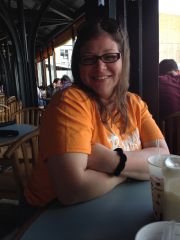
  6. Images added to a gallery album owned by Season26 in Before and After Gastric Sleeve Photos
    Season26, a weight loss surgery photo album by Season26 on BariatricPal. 1 photo in Before and After Gastric Sleeve Photos.
  7. Sleeved June 9th. I haven't lost any weight yet
Account

Navigation

Search

Search

Configure browser push notifications

Chrome (Android)
  1. Tap the lock icon next to the address bar.
  2. Tap Permissions → Notifications.
  3. Adjust your preference.
Chrome (Desktop)
  1. Click the padlock icon in the address bar.
  2. Select Site settings.
  3. Find Notifications and adjust your preference.