Frankensleeve_27
Pre Op
-
Joined
-
Last visited
Everything posted by Frankensleeve_27
-
Sleeved in June 26 I'm down 60lbs
-
Sleeved June 26
-
Baldwin Park!! :-D sleeved 6/26/14
-
Seriously this post made me smile as well it makes me glad to know that I'll be able to eat normal food again..
-
Seriously this post made me smile as well it makes me glad to know that I'll be able yo
-
June 26 here
-
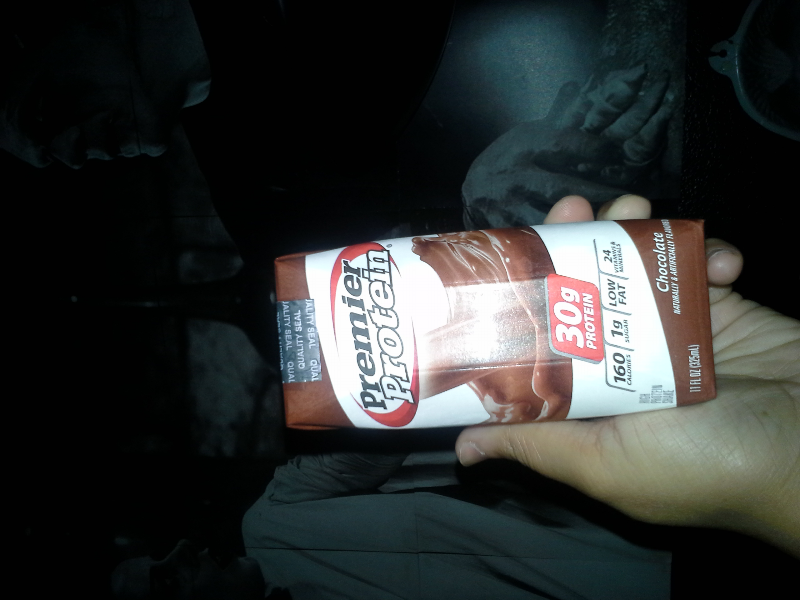
Ever since I can remember I've always struggled with my weight.. I've been indecisive about getting the gastric sleeve for 3 years and finally this year I've decided to set my fears aside.. I love food I love the comfort of it.. Today is my first day of my liquid pre-op and all I'm thinking about is pancakes.. I went to costco to get my Protein Drinks and I couldn't stick around for too long because I was literally getting anxiety from being around all that food.. Thanks for reading... [ATTACH]45686[/ATTACH]
-
Thanks :0)
-
Can I use the equate Walmart brand protein drinks for my pre-op diet? My surgery date is June 26.. Can I also use them after surgery?
-
What kinda protein drinks are best for pre-op?
-
My surgery is on the 26 of this month but I'm not starting my pre-op until next week maybe..