adamfishaa
Gastric Sleeve Patients
-
Joined
-
Last visited
-
-
-
-
-
-
-
-
-
-
I live in San Tan Valley, AZ! I had my surgery performed by Dr. Juarez and Dr. Fang at St. Lukes in Phoenix on November 20th 2013 and I have lost 210lbs! (From 430 to 210 in less than 17 months!!!)
-
-
I lost anywhere from 8 to 25lbs a month and I just passed the 1 year mark and am down 200lbs. In the beginning it seems slow but just keep your head up, live healthy, and you will get there! 11mos out and I just got my gallbladder out and I have been having some severe back and neck pain
-
11mos out and I just got my gallbladder out and I have been having some severe back and neck pain
-
@adamclyde
-
-
No problem! I am excited to see your progress! I am creeping up on my one year surgiversary! Almost 200lbs down! You will do great!
-
Not at all! Instagram is for everyone!
-
I have been finding dozens of fellow sleevers on Instagram and it is amazing! From progress pics, what we are eating, our workout routines and more! It is so much fun! Follow me and a few others?? @adamclyde @@catvsg @chunkycharles
-
I love my sleeve too! So many people that I used to work with/go to school with dont recognize me anymore! And when I show pictures of myself at 400lbs last year people don't believe that I was ever that big! It feels amazing know that the sleeve has changed my life for the better!
-
When you fit into a size you havent been able to wear since you were 12! (Im 19)
-
Hi Dotti! I would highly recommend starting your liquid diet about a week or so before your surgery (my surgeon required a 2 week liquid pre op diet) eating will become the last thing you worry about after surgery. I lost my entire appetite for about a month after surgery. The hardest part is mentally altering your eating habits. I never really feel hungry even at 8 months out and 162lbs down, but mentally I still feel like I could eat even when I know I shouldn't.
-
I would totally agree that walking is a HUGE part in relieving the gas pains! Also, when I came out of surgery the morphine they had me on made me SUPER nauseous so I had them switch me to another pain reliever which worked fine with no side effects. When you get home try to sleep in a recliner for the first week! You will also need to perfect the "log roll" technique for when you move back to your regular bed. Lol
-
Before and Current as of July 2014, a weight loss surgery photo album by adamfishaa on BariatricPal. 10 photos in Member Photo Gallery.
-
 Road trip pit stop July 2014
-
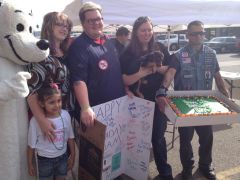 My 18th Birthday March 12th 2013
-
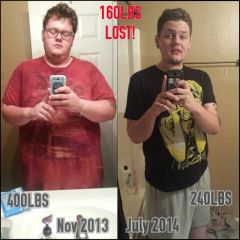 WHAT A CHANGE
-
 Shopping with my momma June 2014
-
 1 day post op 11/21/14
-
 Sept 2013
-
 6am swim session with my niece in July 2014
-
 Halloween Carnival 2013
-
 Vacation to San Diego June 2014 (260lbs)
-
 Back in 2012 out with the family (390lbs to 405?)
-
-
Thank you! Would you believe I was 18 in the first and I'm 19 now? Lol! I am able to do so much stuff now! Loving my sleeve!
-
Its isn't too bad right now but I still want to lose another 50lbs... I may consider a tummy tuck in the future.
-
160 down 8 mos after my wsl! [ATTACH]46944[/ATTACH]