Bridget312001
Gastric Sleeve Patients
-
Joined
-
Last visited
Everything posted by Bridget312001
-
-
-
-
I found using a ridiculously tiny pickle fork at meal times helped slow me down a bit.
-
My NUT (love calling her that) said that my weight loss would look like stair steps on a chart. From what you have described this is happening to you as well. I eat between 600-800 calories a day and exercise about four times a week (elliptical, mowing grass, cleaning house, walking etc). You may need to experiment by eating a few more calories to give you extra energy to be able to workout more. I found that changing (not necessarily making it harder, just changing) my exercise routine helped when I felt stuck. Our bodies are very adapt at wanting to store energy and by changing your exercise routine you can jump start your weight loss. Drinking more water will help, as well. Good luck!
-
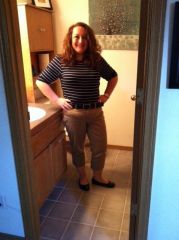
I bought a matching cardigan and capri pants in a size thats fits now and and identical pair of pants in a smaller size that will fit as I loose more weight.
-
My BMI was just over 40 when I was approved for the surgery. The only ones to question my sanity over the surgery were my sister and a co worker.. Dont listen to that little voice of doubt. You have worked hard to get to this point and deep down you know why you are doing this. I am one month out and do not regret my decision to be sleeved.