allybenavides
Gastric Sleeve Patients
-
Joined
-
Last visited
-
i was sleeved 12/17/12 and am about 9 1/2 months out and am just coming off a 2 month stall. i didnt change anything or do anything different. i just stalled. but i kept pushing and have lost 8 pounds in 6 days! keep your head up!
-
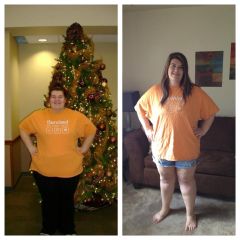
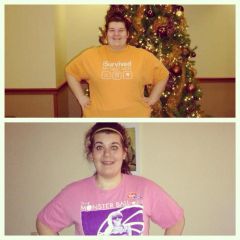
9 months post op :), a weight loss surgery photo album by allybenavides on BariatricPal. 3 photos in Member Photo Gallery.
-
I just turned 21 on the 26th of July. Im about 8 1/2 months out. i think it just depends on the drink and how much alcohol is in it. I drank 3 smirnoffs and was feeling a little buzzed i also tried a shot of patron on a different night and was completely drunk. HAPPY BIRTHDAY!
-
-
-
anyone diagnosed with any kind of kidney problems since having surgery? ive had a uti every month since my surgery in December. I just also had a 24 Hour urine done and it showed decreased kindey filtration and function. I was referrred to nephrology, just havent had my appointment yet. This just worries me because im so young and do not want to be put on more medications. So if anyone knows anything about this please share your knowledge! thanks!!
-
-
-
-
-
so i wanted to get everyones input on what they are eating now that we are about 7 months out. favorite meals, snacks, proteins all that good stuff. ive only met with a nutritionist once and it was 6 months before my surgery and have had no help what so ever with my meal planning. my surgeon has seen me 2 times since surgery and doesnt plan to see me again until my 1 year visit. i feel like im eating too much and not of the right things. so any advice would help! thanks
-
-
month 7 :), a weight loss surgery photo album by allybenavides on BariatricPal. 1 photo in Member Photo Gallery.
-
-
-
Im 20, will be 21 in July! was sleeved in December and have lost about 140 pounds all together~
-
-
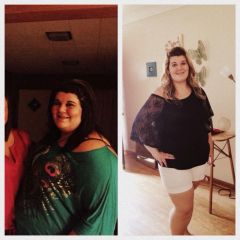
6 months post-op : ), a weight loss surgery photo album by allybenavides on BariatricPal. 2 photos in Member Photo Gallery.
-
-
-
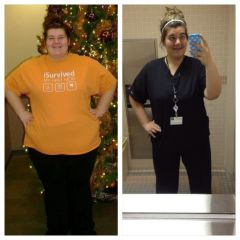
5 months post op! down 120 over all 84 since surgery :)
-
I was sleeved 12/17 down 81 since then!
-
Honestly felt like i was hit by a bus! I had horrible gas pain in my back and shoulders. I couldnt stop rocking back and forth. Was getting pain meds every 20 minutes or so. I also was dry heaving alot which obviously was very painful due to my stomach just being cut. It got better about 2 days after.
-
Im 5'7 sleeved 12/17/12 Highest weight 404.1 day of surgery 366.6 today 298.3
-
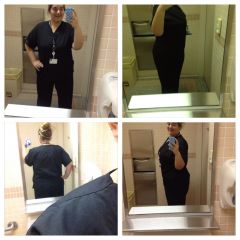
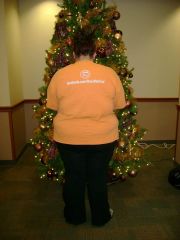
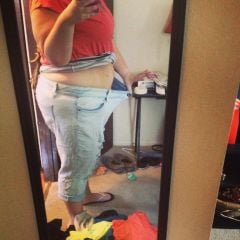
body shots day of surgery 12/17/12 to 04/08/2013, a weight loss surgery photo album by allybenavides on BariatricPal. 5 photos in Member Photo Gallery.
-
From 404.1lbs to 293.8 4 months post op! down 4 pant sizes!!!
-
Hey everyone! I am 20 years old I was sleeved 12/17/2012 Heaviest weight 404.1 Day of Surgery 366.6 Today 293.8 I have had some minor complications, Was admitted to the hospital for 5 days, 2 weeks post op with severe gastric reflux, pancreatitis, and dehydration. I also had to have an emergency gallbladder removal in the begining of February. All that aside i have been feeling great. Exercising daily has become a part of my routine. My main concern is that i am now able to eat too much at one time. For dinner last night i was able to eat about 3/4 of a baked chicken breast and felt "full" but felt like i could continue to eat another bite if i wanted to. My daily calorie intake is generally 500-800 cals. I dont know if its because i am 4 months post op that my stomach is no longer swollen and that this is a normal amount to be able to eat in one sitting, but it is scaring me. My BIGGEST fear is gaining weight. I have been weighing myself 2-3 times a day and when i gain a pound it really upsets me.( i know this is so wrong but i am getting addicted to the scale) I guess im just looking to find out if everything im going through is normal? How much is everyone able to eat?