




Skip to content
View in the app

A better way to browse. Learn more.

BariatricPal

A full-screen app on your home screen with push notifications, badges and more.

To install this app on iOS and iPadOS
  1. Tap the Share icon in Safari
  2. Scroll the menu and tap Add to Home Screen.
  3. Tap Add in the top-right corner.
To install this app on Android
  1. Tap the 3-dot menu (⋮) in the top-right corner of the browser.
  2. Tap Add to Home screen or Install app.
  3. Confirm by tapping Install.
  • Appearance

Join BariatricPal free

  • Ask your own questions
  • Reply and follow topics
  • Message other members
  • No cost, no spam

mekhimom

Gastric Sleeve Patients
  • Joined

  • Last visited

Everything posted by mekhimom

  1. mekhimom replied to mekhimom's topic in The Lounge
    Thank u
  2. mekhimom replied to mekhimom's topic in The Lounge
    Thank u
  3. mekhimom replied to mekhimom's topic in The Lounge
    Thank u
  4. mekhimom replied to mekhimom's topic in The Lounge
    Thank u
  5. mekhimom replied to mekhimom's topic in The Lounge
    Thank u
  6. mekhimom posted a topic in The Lounge
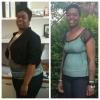
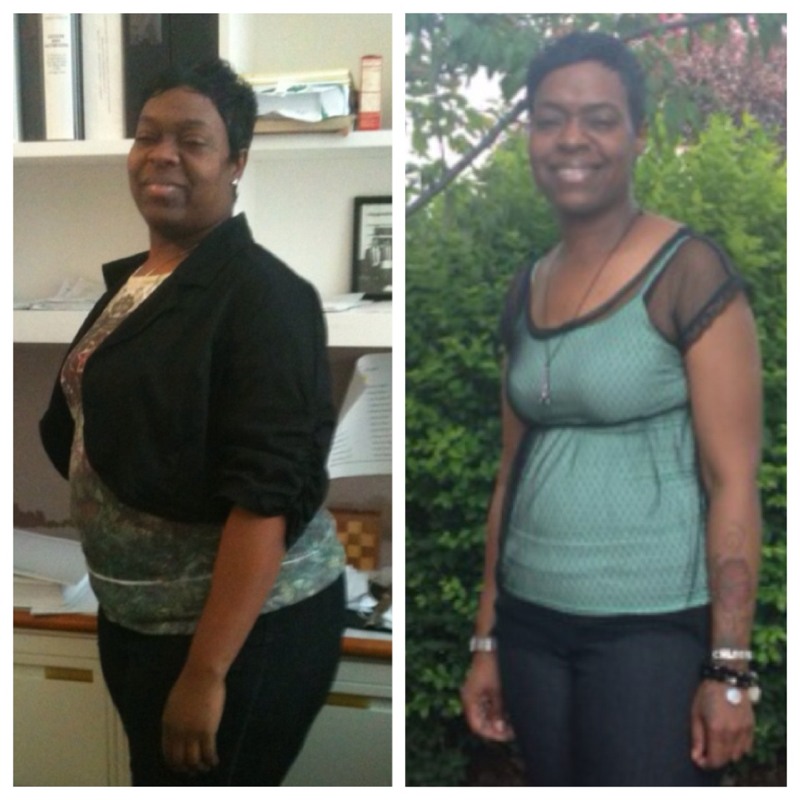
    Hey !!! Nov.1 it will be one year since my surgery. I have lost 107 pounds . ( I'm doing the happy dance ). Now it's time for skin removal . I'm so excited .????
  7. Thank you .
  8. Congrats !! Believe me I have no regrets at all about the surgery !!
  9. I haven't been posting anything lately . I had the surgery Nov. 1, 2012 . I weighed 287 pounds as of today I weigh 207. I feel great !!!!
  10. Thank you! I hope I'm not moving to fast or doing too much .
  11. How much weight I'm I suppose to lose each month . I had my surgery Nov .1. I was weighing 283 pounds and now I weigh 241 pounds.
  12. I had my surgery on Nov. 1 , 2012 . I'm very pleased with my weight lose . When I started this journey I was 283 pounds . I was wearing size 18/20. Now I'm 241 pounds and now I wear a size 16 .
  13. I had my surgery two months ago . What fruit and food should I be eating .
Account

Navigation

Search

Search

Configure browser push notifications

Chrome (Android)
  1. Tap the lock icon next to the address bar.
  2. Tap Permissions → Notifications.
  3. Adjust your preference.
Chrome (Desktop)
  1. Click the padlock icon in the address bar.
  2. Select Site settings.
  3. Find Notifications and adjust your preference.