Amandazee13
Gastric Sleeve Patients
-
Joined
-
Last visited
-
-
-
-
-
-
-
-
-
-
-
A few more


-
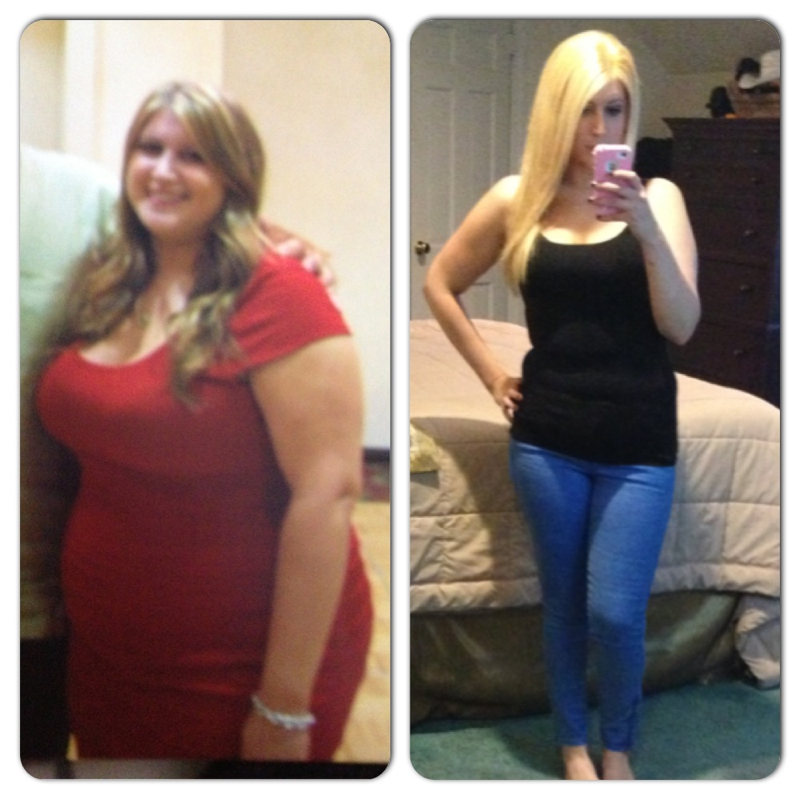
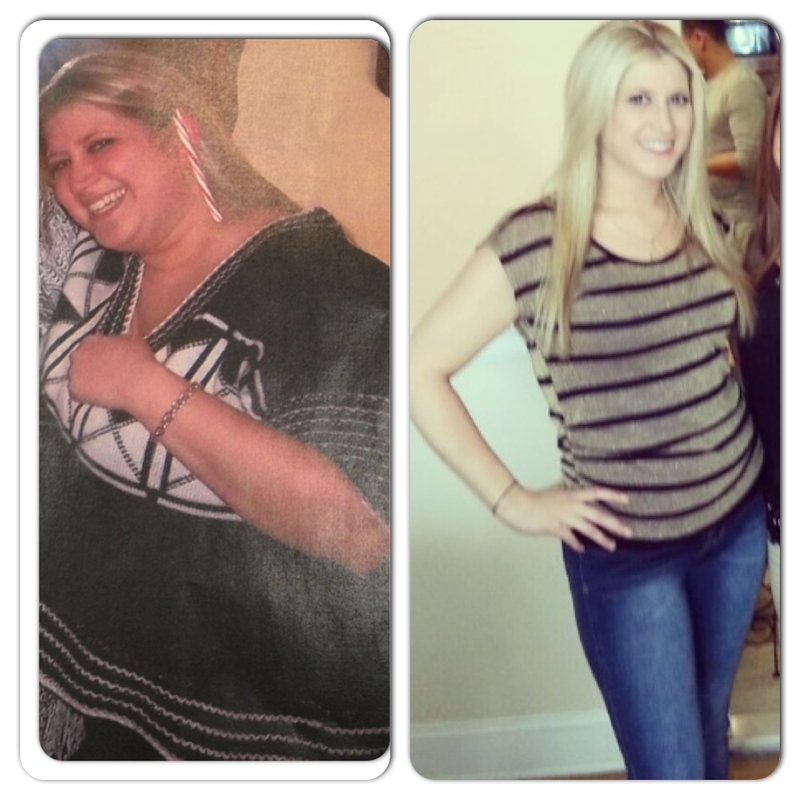
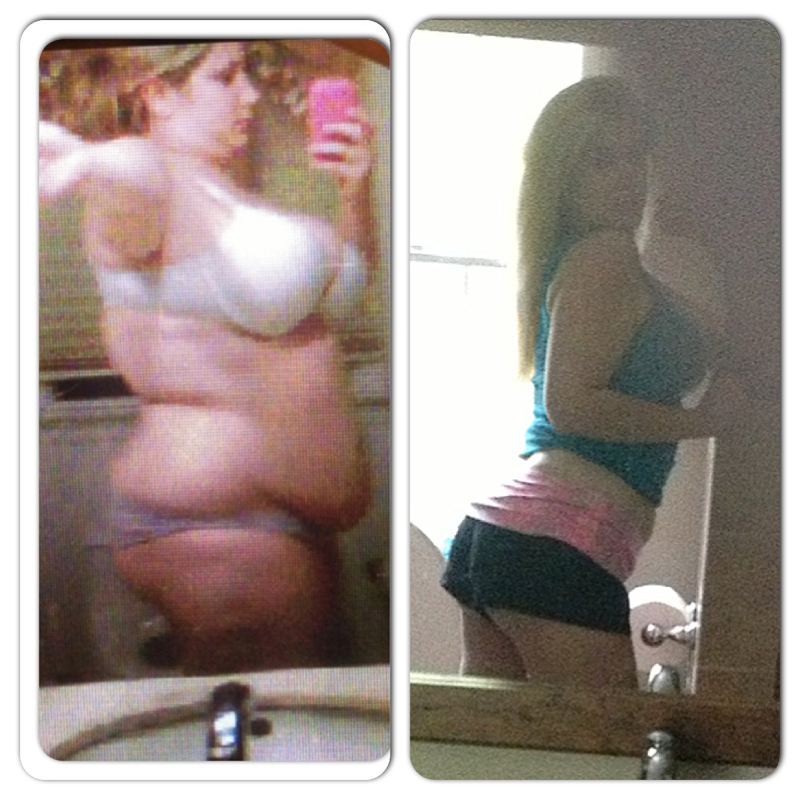
Thank you all so Much!! To answer a couple of more questions I have seen, My surgeon was Dr. Marina Kurian At NYU Hospital in Manhattan NYC. Like I said previously my skin bounced back pretty well! I am having a breast lift in November though. Going from a size F to a size C Has done some damage! My stomach does sag slightly as well. To all of the recent post oppers The journey is tough at first but you get used to it! It took me six months to really get the hang of having a sleeve. And as I said earlier this sleeve she gave me is tiny meaning I really can't eat a lot i eat a lot less than other sleevers that i know. My doctor told me she always makes a small sleeve to really get the full effect. To be honest I am hoping it will stretch in time!! Thank you all again for the support I really appreciate it!!
-
I eat everything. The only thing that can be tough for me is bread, it expands in the sleeve and you can really feel it. I try not to eat it, although I have always been a sandwich junkie!!To answer some questions I have read My hair fell out a lot, it finally stopped which means I am coming to the end of my weight loss. I started at 250 now i am 128 lbs No secrets, my surgeon made me sleeve super Tiny so eating is kind of an issue.


 Hey everyone! I am 1 year and 5 days post op! I am sitting here wearing a size 4 Calvin Klein jeans!! Hope everyones doing well and kicking obesity's ass!Oh just realized i have two seperate profiles. One on my phone is different. Lol thats weirdMiss Latina. No secret. I just eat soo little, which Im sure u all do! My surgeon said she made my sleeve very very skinny. I dont work out and i dont diet. Which is terrible, but i work 12 hour days as a nurse. I think being 23 makes it easier to lose weight as well? Im not sure though.I was given reglan for reflux after my surgery, i am 1 month post op and have taken an estimated 70 or so pills.... In the mean time i started dealing with extreme depression and i would also become hungry only a few minutes after eatig. Well just found out reglan can cause severe depression and it empties the stomah into the intestine faster... Beware of the drug it has caused me HELLUnfortunately i had a crossover to smoking, i quit for a month and I am back to the pack :-( sucks but its a good reliefIs there a way to reverse this sleeve? I wish i had never done itI feel so sick. I had my sleeve almost 4 weeks ago and my gallbladder out 4 days ago, eating anything is making me super sick. I tried to eat yogurt, i got 2 oz down and now i feel extremely sick, my stomach hurts so much and I really just dont feel good.Im almost 1 month post op, and I keep having ravings for sausage (breakfast, spicy, chicken etc.). I of course prefer pork sausage and I'm wondering when everyone was able to eat it... I feel like a nice sausage patty would be a perfect meal! Thanks :-)That sounds good. But i love the whole soft serve part :-)Im in my puree/ soft food stage. I am craving frozen Yogurt! I love just plain tart, do you guys think froyo would be an appropriate snack for ny puree stage?