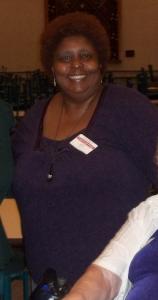
MzEboni912
LAP-BAND Patients
-
Joined
-
Last visited
Everything posted by MzEboni912
-
I am excited about the possibilities. I have a friend who lost 177 lbs in one year. She's the size I want to be that is what I am excited about now. I hope the rest will come as time goes on.Did you lose more weight than they wanted you to before your surgery?Good luck on your surgery.I hope everything goes well. I will have my second doctor's appointment on Friday. Hope all goes well.What else do you eat for breakfast?Please let me know how you are doing. This sounds interesting.I feel the same way.Just be patient and have faith that no matter what you will be successful.I read the article and it has given me information I never knew about gas. Thank you.Hope all is well.It will be here before you know it.I hope you feel better.Hope all goes well.Hope all goes well.
Account
Navigation
Search
Configure browser push notifications
Chrome (Android)
- Tap the lock icon next to the address bar.
- Tap Permissions → Notifications.
- Adjust your preference.
Chrome (Desktop)
- Click the padlock icon in the address bar.
- Select Site settings.
- Find Notifications and adjust your preference.
Safari (iOS 16.4+)
- Ensure the site is installed via Add to Home Screen.
- Open Settings App → Notifications.
- Find your app name and adjust your preference.
Safari (macOS)
- Go to Safari → Preferences.
- Click the Websites tab.
- Select Notifications in the sidebar.
- Find this website and adjust your preference.
Edge (Android)
- Tap the lock icon next to the address bar.
- Tap Permissions.
- Find Notifications and adjust your preference.
Edge (Desktop)
- Click the padlock icon in the address bar.
- Click Permissions for this site.
- Find Notifications and adjust your preference.
Firefox (Android)
- Go to Settings → Site permissions.
- Tap Notifications.
- Find this site in the list and adjust your preference.
Firefox (Desktop)
- Open Firefox Settings.
- Search for Notifications.
- Find this site in the list and adjust your preference.