mzjay
Gastric Sleeve Patients
-
Joined
-
Last visited
-
-
-
-
-
-
-
-
-
-
-
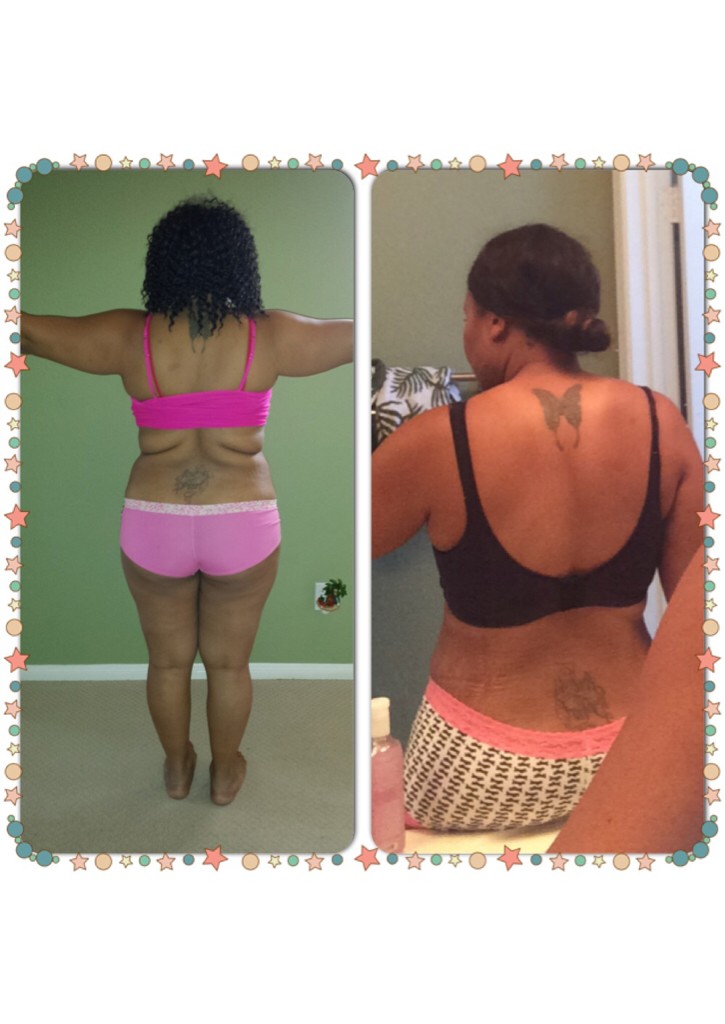
I feel great Haven't wore something links this in over 10 years

-
My back rolls are gone! Sleeved 4/25/14 down 50 lbs 30 to go

-
Got it thanks ????i appreciate the support
-
Does anyone have Instagram? I will be documenting my journey on Instagram fro wls patients only so if you have an IG follow me @sleevedsista I would really appreciate the support we can share a lot through ig thank you
-
Sure! I want through Ready 4a change Dr. Fernando Garcia. I had a very good experience and was well taken care of during my stay. And a speedy recovery
-
I totally understand how you feel my family was not supportive of me having the surgery ESPECIALLY in Mexico. I live in San Diego so we hear the worst of the worst about mexico. But I was comfortable because I researched for 2 years I finally did it 4/25/14 and I'm feeling great. I will say my family has been more supportive now that they see I am alive and doing well. I went alone I didn't want the stress of others people's worries. It is YOUR choice remember that.
-
I have a rash too
-
Awwww sleeve sisters for life!!! So glad I found you!! Keep in touch so we can share recipes I'm going to have fun with my new friend sleevetta hahahaha yeah I named my new stomach
-
Good luck you will be just fine it all happens so fast!
-
I went ahead and took the antacids it's in liquid form.....it was ok I didn't gag so I'm ok with it now....I was just scared to take it after drinking that horrible blue substance in the hospital yuck!!!! I'm doing well though trying to stay away from the scale until Friday one week post op
-
Ok what about the liquid for gas and antacids. ....I didn't have gas pain or anything like that and I do not want to take medicine that's just going to make me gag.
-
Ok so has anyone used pain meds other than the ones you were sent home with?
-
I was sleeved on Friday 4/25 by Fernando Garcia I'm feeling great I'm at home already since I live just across the border so I decided not to use the hotel stay. I had a good experience no gas pain at all the staff was nice I have no complaints.
-
-
Ok thanks will do!